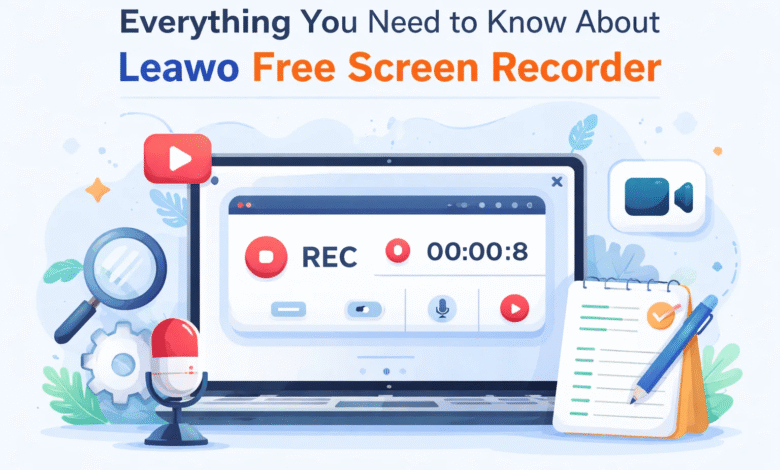
Screen recording has become an essential tool in today’s digital world. Whether you’re creating tutorials, recording gameplay, capturing online meetings, or saving important on-screen activity, having a reliable recorder makes all the difference. Among the many tools available, Leawo Free Screen Recorder stands out as a practical and accessible solution.
In this leawo free screen recorder review, we’ll explore its key features, advanced capabilities, ease of use, and the best alternative for more specialized needs. If you’re searching for a dependable free screen recorder, this guide will help you decide whether this tool fits your requirements.
1. Main Features of Leawo Free Screen Recorder
Leawo Free Screen Recorder is designed as a lightweight, user-friendly, and reliable application for capturing screen activity on Windows computers. It strikes a balance between simplicity and functionality, making it suitable for both beginners and experienced users.
Key Features Include:
- Flexible Recording Modes
You can record the full screen, a selected region, or a specific application window. This flexibility is useful for different tasks, such as recording a full presentation or focusing on a single app. - Audio Capture Options
The software allows you to capture both system sound and microphone audio simultaneously. This is especially helpful for tutorials, commentary, and live demonstrations. - High-Quality Video Recording
It supports high-resolution output, ensuring that your recordings remain clear and professional-looking. - Customizable Settings
Users can adjust frame rate, resolution, and audio input based on their needs, making it adaptable for various scenarios.
Because of these features, this free screen recorder is particularly well-suited for:
- Creating tutorials and how-to videos
- Recording gameplay sessions
- Delivering presentations
- Saving online meetings or webinars
Its clean and intuitive interface ensures that even first-time users can get started without a steep learning curve.
2. Advanced Capabilities
Beyond basic recording, Leawo Free Screen Recorder includes several advanced tools that enhance usability and output quality.
2.1 Multiple Output Formats
One of the standout features is support for multiple output formats. Users can export recordings in widely compatible formats, making it easy to play videos on different devices or upload them to various platforms.
This flexibility is particularly useful if you plan to share content across social media, learning platforms, or professional environments.
2.2 Built-In Screenshot Tool
In addition to video recording, the software includes a built-in screenshot feature. This allows you to capture still images during recording or independently.
This is especially helpful for:
- Creating step-by-step guides
- Documenting processes
- Highlighting specific moments in a video
Instead of switching between tools, everything can be handled within one application.
2.3 Cursor Highlighting & Effects
For instructional videos, clarity is everything. The software includes cursor highlighting and click effects that visually emphasize mouse movements and actions.
You can:
- Highlight cursor movements
- Add click animations
- Display keystrokes
These features make tutorials easier to follow and give your recordings a more polished, professional feel.
3. How to Use Leawo Free Screen Recorder
One of the biggest advantages of this tool is how easy it is to use. Even beginners can start recording within minutes.
Step-by-Step Guide:
- Download and Install
Install the software from the official website and launch it. - Choose Recording Mode
Select whether you want to record the full screen, a custom region, or a specific window. - Configure Settings
Adjust audio inputs (system sound, microphone, or both) and set your preferred video quality. - Start Recording
Click the Record button to begin capturing your screen. - Stop and Save
Once finished, click Stop, preview your recording if needed, and save it in your chosen format.
The process is straightforward and intuitive, which is why many users highlight ease of use in their leawo free screen recorder review experiences.
4. Best Alternative to Leawo Free Screen Recorder
While Leawo Free Screen Recorder is excellent for general use, it does have limitations—particularly when it comes to recording DRM-protected streaming content.
Important Limitation
The software does not support capturing protected videos from platforms like Netflix, Hulu, or Disney+. This restriction is common among many screen recording tools due to content protection technologies.
CleverGet Recorder as an Alternative
For users who specifically need to record streaming content, CleverGet Recorder is a strong alternative.
Advantages of CleverGet Recorder:
- Designed to handle protected streaming content
- Maintains high video and audio quality
- Quick and simple setup process
This makes it a better choice for users whose primary goal is capturing streaming videos rather than general screen recording.
Conclusion
In summary, Leawo Free Screen Recorder is a solid and reliable tool for everyday recording needs. It offers a user-friendly interface, flexible recording options, and useful features like screenshot capture and cursor effects. For tasks such as tutorials, gameplay recording, presentations, and online meetings, it performs exceptionally well.
This leawo free screen recorder review highlights its strengths as an accessible and capable free screen recorder for most users. However, it’s important to understand its limitations—particularly when dealing with DRM-protected content.
If your needs go beyond general screen recording, especially for streaming platforms, switching to a specialized tool like CleverGet Recorder may be the better option.
Ultimately, the right choice depends on your specific use case. For most everyday tasks, Leawo Free Screen Recorder delivers everything you need in a simple and efficient package.