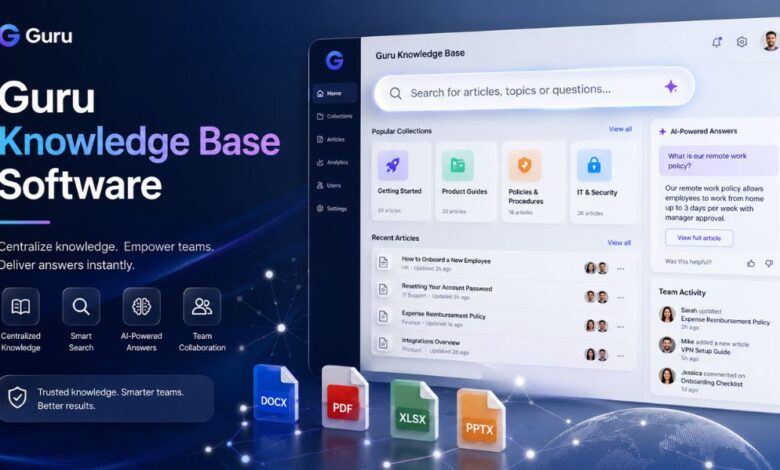
In every growing business, knowledge becomes one of the most valuable assets. Teams need quick answers, accurate information, updated documents, product details, company policies, sales materials, customer support guides, onboarding resources, and internal processes. When this information is scattered across emails, chats, folders, spreadsheets, and different apps, employees waste time searching instead of working. This is where Guru knowledge base software becomes useful for modern teams.
Guru knowledge base software is designed to help companies create, organize, verify, and share internal knowledge in one central place. It serves as a digital knowledge hub where employees can find trusted answers without relying on repeated messages, lengthy meetings, or outdated documents. For businesses that care about productivity, employee experience, customer support quality, and team alignment, Guru offers a structured way to manage company information.
What Is Guru Knowledge Base Software?
Guru knowledge base software is a knowledge management platform that helps organizations store and deliver important company information to employees when they need it. Instead of keeping knowledge hidden in multiple tools, Guru brings useful information together and makes it easier to access. It can be used as an internal wiki, a company knowledge base, a team resource center, and an AI-powered information system.
The main purpose of Guru is simple: to help people get accurate answers faster. Whether a sales representative needs product messaging, a support agent needs a troubleshooting guide, or a new employee needs onboarding instructions, Guru provides verified knowledge in a clear, organized format. This reduces confusion and helps teams work with confidence.
Unlike traditional document folders, Guru focuses on keeping information useful, searchable, and up to date. A company knowledge base is only helpful when employees trust the information inside it. Guru supports this need by helping teams manage knowledge quality and reduce outdated content.
Why Businesses Need Knowledge Base Software
Businesses grow quickly, and with growth comes information overload. Employees often ask the same questions again and again because answers are not easy to find. Managers spend time repeating instructions. Customer-facing teams may use outdated scripts. New employees may struggle to understand internal processes. These problems slow down productivity and create inconsistent work.
A strong knowledge-base software system solves these issues by providing a single place for important information. It helps teams document what they know, organize it properly, and make it available to the right people. When employees know where to find answers, they become more independent and efficient.
For remote and hybrid teams, this is even more important. Not everyone works in the same office or time zone. A digital knowledge base makes company knowledge available whenever employees need it. Guru supports this style of work by making information easier to discover inside the tools teams already use.
Key Features of Guru Knowledge Base Software
One of the strongest parts of Guru knowledge base software is its feature set. It is built for teams that want more than a simple document storage system. Guru helps with knowledge creation, organization, discovery, verification, access control, and team communication.
A major feature is AI-powered search, which helps users find answers quickly. Instead of manually browsing through many documents, employees can search for what they need and get relevant results. This saves time and improves workflow efficiency.
Another important feature is verified knowledge. Companies often struggle with outdated content. Guru helps teams keep information accurate by supporting review and verification processes. This means employees can trust the knowledge they are using.
Guru also supports role-based access control, allowing businesses to decide who can view certain information. This is helpful for companies that manage sensitive documents, internal policies, sales resources, HR content, or department-specific knowledge.
Other useful features include team announcements, analytics and insights, custom pages, and integrations with workplace tools such as messaging and collaboration platforms. These features make Guru useful across departments, including sales, support, HR, operations, marketing, and leadership.
How Guru Helps Improve Team Productivity
Productivity is one of the biggest reasons companies invest in Guru knowledge base software. In many workplaces, employees spend too much time searching for information or asking colleagues for answers. This may look small in daily work, but over time it can cause major productivity losses.
Guru helps reduce this problem by giving employees quick access to trusted knowledge. When information is easy to find, teams can complete tasks faster. A support agent can answer customer questions more confidently. A sales team member can use the latest product information during calls. A manager can share process updates without having to repeat the same message to everyone.
The result is a smoother workflow. Employees do not need to interrupt others for basic information. Teams can stay aligned. New updates can be shared clearly. This helps companies create a more organized and efficient work culture.
Guru as an Internal Wiki
Many companies use Guru as an internal wiki. An internal wiki is a private company knowledge center where employees can find important information about processes, tools, policies, products, and workflows. Traditional wikis can become messy when they are not managed properly, but Guru gives teams a more structured way to keep knowledge useful.
With Guru, departments can create pages and knowledge cards for different topics. For example, an HR team can create onboarding guides and company policy pages. A sales team can create product positioning resources. A support team can document common customer issues and solutions. A marketing team can store brand guidelines and campaign information.
This makes Guru helpful for both small teams and larger organizations. As the company grows, its internal knowledge can grow with it. Instead of depending on scattered documents, businesses can build a clear knowledge system that employees can use every day.
Guru for Customer Support Teams
Customer support teams need fast and accurate answers. If a support agent cannot quickly find the correct solution, the customer experience suffers. Guru knowledge base software helps support teams organize troubleshooting steps, product FAQs, response templates, escalation processes, and internal support guidelines.
When support teams use a trusted knowledge base, they can respond to customers more consistently. This is especially useful for companies with complex products or services. Agents can search for answers, verify information, and reduce the risk of providing incorrect guidance.
Guru can also help new support agents learn faster. Instead of depending only on training sessions, they can use the knowledge base as a daily learning tool. Over time, this improves both team confidence and customer satisfaction.
Guru for Sales and Revenue Teams
Sales teams need the right information at the right moment. They need product details, pricing guidance, objection-handling notes, competitor comparisons, case studies, messaging documents, and sales playbooks. If these resources are outdated or hard to find, sales conversations can become weaker.
Guru helps sales teams by keeping important sales knowledge in one place. Representatives can quickly find approved messaging and current information before or during customer conversations. This helps them stay consistent and professional.
For revenue teams, trusted knowledge is very important. A sales representative should not use an old pricing sheet or outdated product claim. Guru helps reduce this risk by supporting verified, up-to-date content. This makes it a useful tool for sales enablement and revenue operations.
Guru for Employee Onboarding
Employee onboarding is another strong use case for Guru knowledge base software. New employees often need to learn company values, tools, processes, team structures, communication rules, and job-specific responsibilities. If this information is not organized, onboarding can feel confusing.
A guru can make onboarding smoother by giving new employees a clear starting point. Companies can create onboarding pages, training materials, frequently asked questions, policy guides, and department-specific resources. This allows new hires to learn at their own pace while still having access to reliable information.
A good knowledge base also reduces the pressure on managers and teammates. Instead of repeatedly answering the same beginner questions, they can direct new employees to verified resources. This creates a better onboarding experience and helps new team members become productive faster.
Benefits of Using Guru Knowledge Base Software
The biggest benefit of Guru is that it helps teams create a single source of truth. When everyone uses the same trusted information, work becomes more consistent. Employees are less likely to rely on outdated documents or random chat messages.
Another benefit is improved collaboration. Guru allows teams to share knowledge across departments. This is useful because many business problems happen when departments work in silos. A shared knowledge base helps sales, marketing, support, HR, and operations stay connected.
Guru also supports better decision-making. When employees can access accurate information quickly, they can make better choices. Leaders can also use analytics to understand what employees are searching for and where knowledge gaps may exist.
Other major benefits include faster onboarding, fewer repeated questions, improved customer responses, stronger team alignment, better documentation habits, and reduced time wasted searching for information.
Is Guru Knowledge Base Software Good for Small Businesses?
Yes, Guru knowledge base software can be useful for small businesses, especially those that are growing and need better organization. Small teams often keep knowledge in people’s heads, chat messages, or informal documents. This may work at first, but it becomes risky when the business grows or employees leave.
For a small business, Guru can help document key processes early on. This includes customer support steps, sales scripts, internal workflows, product information, hiring processes, and company policies. By building a knowledge base early, small businesses can avoid confusion later.
However, small businesses should also consider their budget, team size, and actual knowledge management needs. If a company has very simple documentation needs, it may start with a basic system. But if the team is scaling, working remotely, or handling complex information, Guru can be a strong option.
Is Guru Knowledge Base Software Good for Large Companies?
Large companies often need advanced knowledge management because they have many teams, departments, tools, and workflows. In bigger organizations, information can easily become fragmented. Employees may not know which document is current or where to find the latest update.
Guru can help large companies by creating a governed knowledge system. Features such as access control, AI search, analytics, and content verification are especially useful for larger teams. These features help companies manage knowledge at scale.
For enterprise teams, Guru can support internal communication, training, documentation, and operational consistency. It can also help reduce dependency on long meetings and repeated internal questions.
Things to Consider Before Choosing a Guru
Before choosing Guru knowledge base software, businesses should think about their goals. A knowledge base tool works best when the company is ready to document information properly and keep it up to date. Software alone cannot fix poor knowledge habits. Teams need a clear process for creating, reviewing, and maintaining content.
Businesses should also consider who will manage the knowledge base. If no one is responsible for keeping content accurate, even the best tool can become messy. A successful Guru setup usually needs content owners, review schedules, and clear categories.
Companies should also review their required integrations, security needs, user permissions, and team training plans. The more carefully a business sets up Guru, the more value it can provide.
Conclusion
Guru knowledge base software is a powerful solution for businesses that want to organize company knowledge, improve productivity, and give employees faster access to trusted information. It works as an internal knowledge hub where teams can store documents, processes, FAQs, policies, sales resources, support guides, and onboarding materials.
Its main value comes from making information easier to find, trust, and share. For sales teams, support teams, HR departments, operations teams, and growing businesses, Guru can help reduce confusion and improve daily workflow. It is especially useful for companies that want to build a reliable single source of truth for internal knowledge.
In a workplace where information moves quickly, having a strong knowledge base is no longer optional. Tools like Guru help businesses stay organized, aligned, and ready to work smarter.
(FAQs)
What is Guru knowledge base software?
Guru knowledge base software is a knowledge management platform that helps companies store, organize, verify, and share internal information in one central place.
What is Guru used for?
Guru is used for internal documentation, company wikis, employee onboarding, sales enablement, customer support knowledge, process guides, FAQs, and team communication.
Is Guru an internal wiki?
Yes, Guru can be used as an internal wiki where employees can find company policies, procedures, resources, and department-specific knowledge.
Who should use Guru knowledge base software?
Guru is useful for sales, support, HR, operations, marketing, and remote teams, as well as growing startups and larger businesses that need organized knowledge.
Why is knowledge base software important?
Knowledge base software is important because it helps employees find accurate information quickly, reduces repeated questions, improves productivity, and keeps teams aligned.
Can Guru help with employee onboarding?
Yes, Guru can support onboarding by storing training materials, company policies, role guides, FAQs, and process documents for new employees.
Does Guru help customer support teams?
Yes, Guru helps support teams by organizing troubleshooting guides, product answers, customer response templates, and internal support processes.
Is Guru good for remote teams?
Yes, Guru can be helpful for remote and hybrid teams because it gives employees access to important company knowledge from anywhere.
What makes Guru different from simple document storage?
Guru is more than basic document storage; it focuses on searchable, verified, organized, and accessible knowledge that employees can use in their daily work.
Is Guru knowledge base software worth it?
Guru can be worth it for businesses that need a trusted knowledge system, better documentation, faster access to information, and improved team productivity.