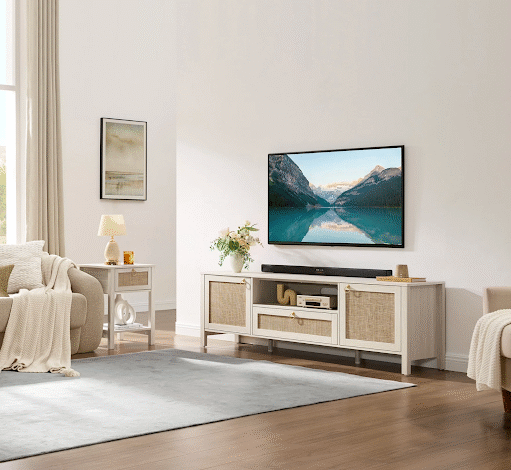
In a small apartment, a TV stand has to do far more than hold a screen. It usually sits at the center of the living room — the one piece of furniture everyone faces — and it is quietly asked to manage cables, hide remotes, store a router and a game console, support streaming boxes and a soundbar, and still leave enough floor for people to walk past without turning sideways.
That is a lot to ask of one low cabinet against one wall.
The challenge is not simply finding a small TV stand. In fact, reaching for the smallest option is one of the most common mistakes apartment dwellers make. A stand that is too narrow can leave a large TV looking unsupported and top-heavy, and it rarely holds enough to keep the surrounding clutter under control. The real goal is a stand that fits the screen, carries the daily media load, hides what should stay hidden, and keeps the room from feeling heavy.
With the right size, the right storage style, and a layout that respects the walkway, even a compact TV wall can read as clean, modern, and genuinely easy to live with.
Why Small Apartments Need a Different TV Stand Strategy
A small apartment does not function like a large house, and its living room rarely has the luxury of a single job. The same fifteen square feet may serve as a lounge, dining room, home office, occasional gym, and the place you entertain friends on a Friday night. Every piece of furniture in that room has to earn its footprint.
The TV wall carries extra weight because it is one of the most visible surfaces in the apartment. When the media area looks crowded, the entire living room shrinks with it. Cables, routers, controllers, speakers, remotes, charging bricks, and the slow drift of “I’ll deal with that later” devices can make the corner look chaotic even when everything technically has a place.
Large entertainment centers solve the storage question but create a new one — they dominate a compact room and make the walls feel closer than they are. Too much open shelving causes the opposite problem, turning every cable box and game case into part of the decor. For a small apartment, the winning strategy is almost always a balance: correct scale, controlled depth, hidden storage for the ugly necessities, and a simple silhouette that lets the room breathe.
A good apartment TV stand should make the room feel more open, not more full.
Quick Answer: What Kind of TV Stand Works Best in a Small Apartment?
If you want the short version first: for most small apartments, the best TV stand is low or medium in height, slightly wider than the TV, shallow in depth, and built with at least some closed storage. It should swallow the remotes, cords, and devices without becoming a bulky media wall in its own right.
The best choice is rarely the smallest stand on the page. A stand that is too narrow looks awkward beneath a larger screen and forces the overflow — remotes, consoles, cords — to migrate onto side tables and the floor. A clean-lined, properly proportioned media console with a shallow profile and hidden compartments almost always serves an apartment better.
In practice, a strong small-apartment TV stand has:
- A width that visually supports the TV rather than disappearing beneath it
- A depth shallow enough to keep the walkway comfortable
- Cable management or back-panel openings for cords
- Closed storage for the clutter that should never be on display
- Some open space for devices that need airflow or remote-signal access
- A simple design that does not try to become the focal point of the room
Put simply: the right stand makes the TV wall look calmer while making everyday media easier to manage. Those two goals are not in tension — the right piece delivers both at once.
Start With TV Size: 55-, 65-, and 75-Inch TV Stand Guidelines
One of the most common sizing mistakes is choosing a stand based on the TV’s diagonal number. Televisions are measured corner to corner, not across the front — so a 65-inch TV is nowhere near 65 inches wide. Buy a stand to match the “65” and you may end up with a piece that overhangs the cabinet on both sides.
For visual balance and basic stability, the stand should generally be a little wider than the TV’s actual width. That keeps the setup looking grounded and intentional rather than top-heavy. Here is a practical starting point:
| TV Size | Approx. Actual Width | Suggested Stand Width | Best For |
|---|---|---|---|
| 55-inch | About 48 inches | 54–60 inches | Studios, bedrooms, compact living rooms |
| 65-inch | About 57 inches | 63–70 inches | Main apartment living rooms |
| 75-inch | About 66 inches | 70–85 inches | Larger or open-plan apartments |
Treat these as guidelines, not laws. Bezel width, wall placement, stand design, and the proportions of the room all shift the math. But the underlying principle holds: if the stand is noticeably narrower than the TV, the wall will look unbalanced — and in a small room, that imbalance is impossible to ignore.
One more point that surprises people: if the TV is wall-mounted, the stand still matters. It anchors the wall visually, provides the storage the mounted screen cannot, and gives the whole arrangement a clean, grounded base instead of a screen floating over an empty floor.
Measure the Apartment Before Choosing a TV Stand
In a small apartment, the furniture has to fit the room, not just the wall. A stand can look perfectly sized in a product photo and feel enormous the moment it lands in a narrow living room. A few minutes with a tape measure is the cheapest insurance you can buy.
| Measurement | Why It Matters |
|---|---|
| Wall width | Determines the maximum stand size |
| TV width (actual, not diagonal) | Creates correct visual balance |
| Stand depth | Keeps the room from feeling crowded |
| Sofa-to-TV distance | Supports comfortable viewing |
| Outlet location | Reduces visible, dangling cords |
| Door and walkway swing | Prevents blocked movement |
| Router and cable-box location | Helps plan device and cable storage |
Depth deserves special attention in apartments. A stand that is too deep eats into the walkway and makes the whole living room feel cramped, even when its width is perfect. The simple test: if anyone has to angle their shoulders to pass between the stand and the coffee table, the piece is too bulky for the layout. Also check nearby doors, balcony access, radiators, and windows — the TV area should support the apartment’s natural flow, never interrupt it.
10 Small Apartment TV Stand Ideas That Add Storage Without Bulk
1. Choose a Low-Profile TV Stand
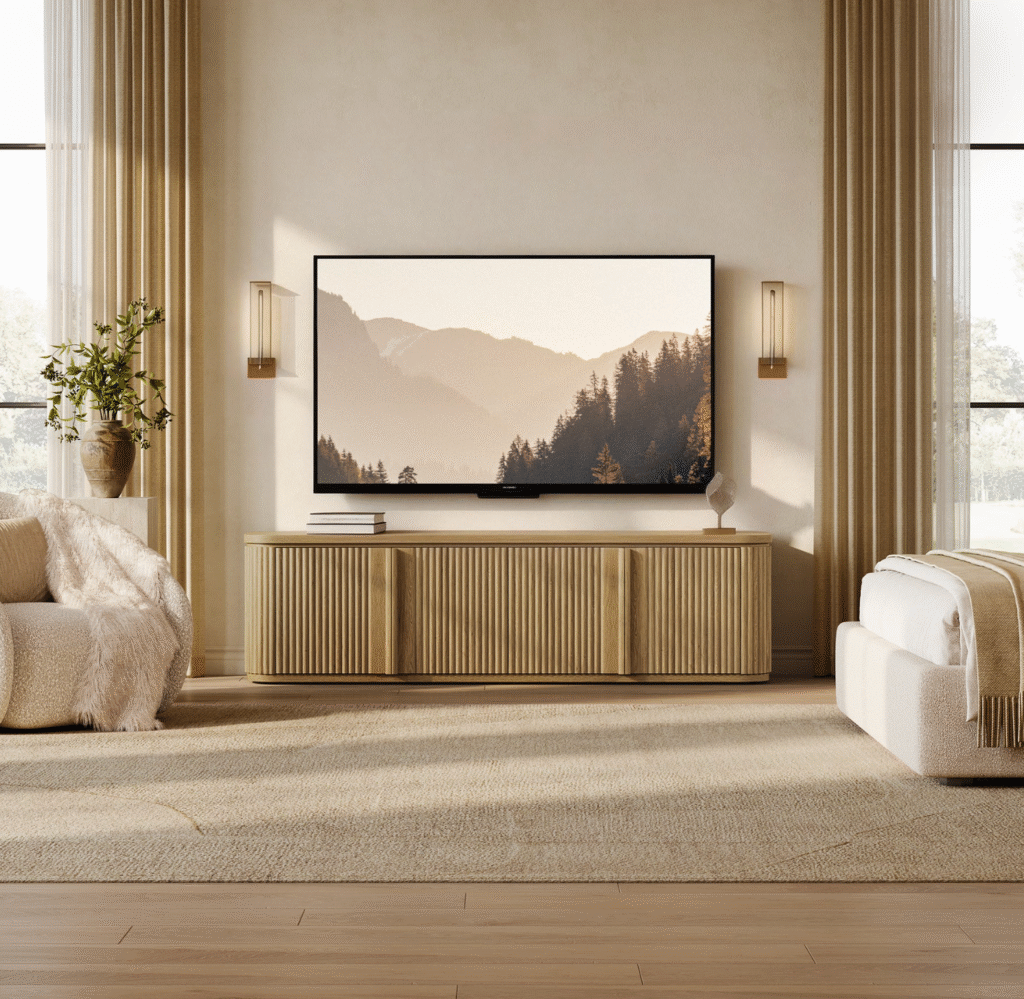
A low-profile stand is one of the simplest ways to make a small living room feel more open. Because it sits closer to the floor, it leaves more visual breathing room above the furniture and keeps the TV wall from reading as a heavy block.
The effect is strongest when the TV is wall-mounted. The stand becomes a storage base rather than a vertical mass, holding media essentials without competing with the screen for attention. It also reinforces the clean, modern lines that make compact rooms feel deliberate rather than cramped — instead of building an entire wall unit around the TV, the screen settles naturally into the room. Save tall entertainment centers for the rare apartment that genuinely needs vertical storage and has the wall space to carry it.
2. Use Closed Storage to Hide Everyday Media Clutter
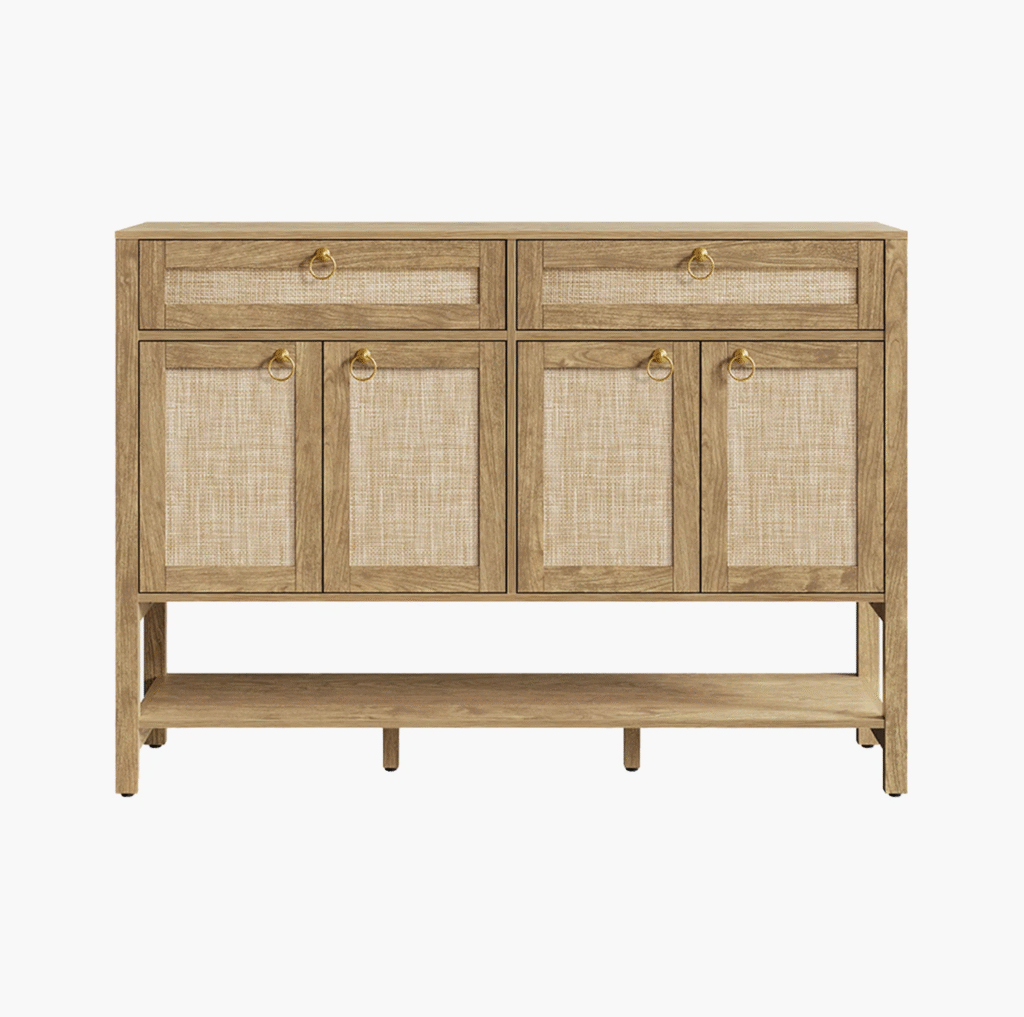
Closed storage may be the single most useful feature in a compact living room — because the objects that gather around a TV are almost never attractive on their own.
Remotes, game controllers, charging cables, spare batteries, manuals, that drawer’s worth of orphaned HDMI cords, and a rotating cast of streaming dongles all turn open shelves into visual noise within a week. Behind a door, the same pile simply disappears.
For apartment layouts where the TV wall is always in view, TV stands for small living rooms help keep remotes, consoles, and cables close at hand without leaving everything out in the open — which is exactly the balance a small, visible living room needs.
A shallow, closed-front piece such as the Terra TV Stand with Storage shows the idea in practice: at around 55 inches wide it suits a 55-inch screen comfortably, while the closed cabinet doors hide the daily media clutter and the clean white front keeps the wall feeling light rather than loaded.
The one rule that makes closed storage work long term: do not just toss everything inside. Add small bins or drawer dividers so the hidden space stays organized instead of becoming a junk drawer with doors.
3. Mix Open Shelves With Doors
Closed storage is invaluable, but not everything belongs behind a door. Some devices need ventilation, some need a clear line of sight for their remote signal, and some simply get used often enough that daily access matters.
A stand that combines open and closed storage delivers the best of both. Open shelves suit cable boxes, soundbars, and consoles that need airflow or signal access; closed cabinets and drawers handle the remotes, cords, games, and manuals that only create clutter when visible. The discipline is in restraint — one device, one basket, or one carefully chosen object per open shelf. Pack every open shelf full and the stand looks just as busy as no storage at all.
4. Look for Cable Management Features
Cables are the fastest route to a messy TV wall. The most beautiful stand in the world looks chaotic the moment cords hang down the wall or tangle into a nest behind the electronics.
When shopping, look for built-in help: back-panel openings, cable cutouts, room for a power strip, gaps behind devices for airflow, and compartments that keep wires separated rather than bundled into one knot.
Some pieces build this in directly. The Cas 65-Inch TV Stand with Cable Management, for example, is designed with dedicated cord routing so a 65-inch setup’s cables can run out of sight from the start, instead of being wrestled into order after the fact.
If a stand lacks built-in routing, inexpensive add-ons close the gap: cord clips, cable sleeves, zip ties, and adhesive channels all help, and labeling cords saves real frustration when several devices share one outlet. One safety rule overrides all of this, though — never seal a router or game console into an airtight compartment. If you want them hidden, choose storage that still lets heat escape.
5. Choose a Stand That Is Shallow, Not Tiny
Most apartment shoppers fixate on width, but in a narrow living room, depth is the dimension that actually determines whether a room feels open or cramped.
A stand can be wide enough to balance a large TV and still feel apartment-friendly, as long as its profile stays shallow. This matters most in long, narrow rooms where every inch of walkway is contested. A very tiny stand, by contrast, saves a little floor space but leaves the TV looking oversized and unsupported — and often cannot hold enough, scattering the overflow across the rest of the room. The better target is a piece that is wide enough for the screen, shallow enough for the room, equipped with hidden storage, and simple enough to feel visually light.
[ Insert Image 2 — Feature (4:3) here. Recraft prompt at end of doc. ]
6. Try a Floating or Wall-Mounted Look
A floating TV stand or wall-mounted media unit can make a small apartment feel lighter, because the floor stays visible underneath. That sliver of exposed floor tricks the eye into reading the room as larger — a genuine advantage in studios and narrow living rooms.
Floating units also suit a minimal media wall, keeping the furniture off the ground and pairing cleanly with a wall-mounted screen. They are not a universal answer, though. Rentals often restrict wall mounting, floating cabinets usually hold less than freestanding ones, and they require proper, secure installation. If you rent, check the lease before drilling — a freestanding low-profile stand is frequently the safer, more flexible choice, and it moves with you to the next apartment.
7. Use Vertical Space Carefully
Vertical storage can rescue a small living room, but around a TV wall it has to be handled with care. Tall shelves and bookcases add real capacity, yet too much height makes the wall feel crowded and closes the room in.
Rather than framing the entire screen with storage, place a single narrow bookcase on one side of the stand, or add a few lightly styled floating shelves above or beside the TV. The screen already commands visual attention; the storage around it should stay quiet and intentional. In most small apartments, a few well-chosen pieces beat a wall packed wall-to-wall with furniture.
8. Pick Warm, Clean-Lined Furniture Instead of Heavy Entertainment Centers
The bulky entertainment centers of a decade ago feel distinctly out of place in a modern compact apartment. They consume wall space and make the media area read as heavy and dated.
Clean-lined storage furniture works better in small spaces because it offers function without visual weight. Warm wood tones, subtle texture, simple shapes, and low silhouettes soften a media wall while keeping it organized.
Brands that focus on warm, practical pieces — like the Sicotas storage range — make it easier to find media furniture that feels useful and inviting rather than visually heavy in a compact room.
The aim is to let the TV area feel woven into the apartment rather than bolted on as a separate media station. When the furniture is simple and storage-rich, the whole room reads calmer.
9. Add Baskets or Small Organizers Inside the Stand
A TV stand only stays useful if the inside stays organized. Without smaller organizers, even the best closed cabinet quietly becomes a hidden tangle of cords, dead remotes, chargers, and manuals nobody will ever read.
Baskets, bins, and drawer dividers turn that hidden chaos into a system. Try assigning small zones — one basket for remotes, one bin for controllers, one pouch for spare cables, one section for batteries, one slot for manuals and warranties, and one open area for devices in active use. The payoff is daily: you can find what you need without unloading the entire cabinet onto the rug.
10. Keep the Top Surface Simple
In a small apartment, the top of the TV stand should never become a second clutter zone. A crowded surface makes the entire wall feel busy, no matter how tidy the storage below is.
Keep the styling sparse — a small plant, a tray, one sculptural object, or a short stack of books is plenty. If a soundbar lives up there, give it room to sit cleanly rather than crowding it with decor. And leave space around any electronics for airflow; never cover vents or stack objects against devices that generate heat. A calm, mostly clear top surface is what makes the whole TV wall feel light and deliberate.
Open Storage vs. Closed Storage for Apartment TV Stands
Different storage styles solve different problems, and the best apartment setups usually blend more than one:
| Storage Type | Best For | Limitation |
|---|---|---|
| Open shelves | Devices, speakers, display items | Can look cluttered fast |
| Closed cabinets | Remotes, cables, games, accessories | Needs ventilation planning |
| Drawers | Small electronics, manuals | Less ideal for devices in use |
| Floating stands | Saving floor space | Less storage capacity |
| Low media consoles | Clean, modern look | Requires enough wall width |
For most small apartments, a mix wins: open areas for the devices that need airflow and signal access, closed compartments for everything that only adds visual clutter. You are not choosing one philosophy over the other — you are assigning each item to the storage that suits it.
How to Hide Cables, Routers, and Game Consoles
Cable management is the part of a TV wall that most directly separates “clean” from “chaotic.” It is also the part people most often postpone until the tangle becomes a project.
Start by identifying what truly needs to live near the TV — typically a router or modem, a game console, a streaming device, maybe a soundbar and a charging spot. Once you know the cast of devices, you can plan a home for each one rather than letting them pile up wherever the cord happens to reach.
A reliable approach:
- Place the power strip behind or inside the stand only where there is airflow.
- Route cords through back-panel openings rather than over the edges.
- Use cable clips so cords do not slide down behind the furniture.
- Bundle excess cord length with ties or sleeves, not knots.
- Keep routers and modems in ventilated, signal-friendly spots.
- Never fully enclose a game console while it is running.
- Use cord covers when a wall-mounted TV’s cables run down the wall.
The goal is not to make every device vanish. It is to cut the visual clutter while keeping electronics cool, accessible, and safe. A router that overheats inside a sealed cabinet is a far bigger problem than a router you can see.
Layout Tips for Narrow Apartment Living Rooms
Narrow living rooms are the rule, not the exception, in most city apartments — and the TV stand should work with that geometry rather than fight it.
Where possible, put the TV on the longest uninterrupted wall. That creates a more natural viewing distance and avoids blocking windows, doorways, or radiators. Leave breathing room on both sides of the stand so the wall does not feel pinched, and resist the urge to fill those side gaps with extra furniture.
| Layout | TV Stand Strategy |
|---|---|
| Studio apartment | Low stand with closed storage to define the living zone |
| Long, narrow living room | Shallow stand along the long wall |
| Open living-dining space | Clean-lined stand that blends with other furniture |
| Bedroom-living combo | Compact media console with drawers |
| Rental apartment | Freestanding stand instead of a wall-mounted unit |
One last layout note: mind the coffee table. If the TV stand is already carrying the room’s storage, choose a lighter coffee table — or skip the bulky one altogether — so the center of the room stays open. In a small apartment, two heavy pieces facing each other is what makes a living room feel like a hallway.
Small Apartment TV Stand Buying Checklist
Before you commit, run through these ten questions. The answers usually point straight to the right piece:
- What is the actual width of the TV (not the diagonal)?
- How wide is the wall the stand will sit against?
- How deep can the stand be without blocking movement?
- Will the TV sit on the stand or be wall-mounted above it?
- Does the stand leave comfortable walking clearance?
- Are the outlets and cable connections easy to reach?
- Do the router and consoles have ventilation where they will live?
- Do you need doors, drawers, open shelves, or a mix?
- Does the stand match the style of the rest of the room?
- Will the piece still work if you move to another apartment?
That final question carries extra weight for renters. Apartment furniture earns its keep when it can adapt to more than one floor plan — the stand that works in this living room and the next one is the stand worth buying.
Final Takeaway: Choose Storage That Makes the TV Wall Feel Lighter
A small apartment does not need a sprawling entertainment center to feel complete. The right TV stand supports the screen, hides the everyday media clutter, manages the cables, and still leaves the room feeling open.
The best choice is almost never the smallest stand or the largest storage unit. It is the one that fits the TV, respects the room’s walking space, and keeps daily devices out of sight without turning the media wall into a heavy, dominating object.
Get the size, the storage, and the layout right, and the TV wall stops being the cluttered corner you avoid looking at. It becomes one of the cleanest, most useful, most quietly satisfying parts of a compact home — which, in a small apartment, is exactly the kind of win that makes the whole space feel bigger than its square footage.