Older homes have a lot going for them. High ceilings, solid walls, a bit of character, maybe a creaky floorboard or two that gives the place a personality. But behind the charm, the wiring can be a mixed bag. Some of it may have been patched over the years, some of it may be far older than anyone realises, and some of it may be sitting there quietly asking for attention.
In Australia, older properties often face the same familiar electrical headaches: ageing switchboards, worn insulation, overloaded circuits, and power points that seem to have been in the same spot since the invention of colour television. None of that is ideal, especially when modern life asks so much more from a home than it used to.
Why older homes deserve a closer look
Homes built decades ago were designed for a very different kind of electrical load. There were fewer appliances, fewer chargers, fewer gadgets plugged in around the clock. Fast forward to now, and a modest family home might be running air conditioning, a dishwasher, a dryer, gaming consoles, laptops, smart TVs, and a fridge that seems to have ideas of its own.
That extra demand can put strain on old wiring. A system that once coped fine may now struggle without showing obvious signs at first. A flickering light here, a tripping breaker there, and before long the whole thing becomes a nuisance, or worse, a safety risk.
Watch for the warning signs
Electrical faults rarely announce themselves in a dramatic way. More often, they start small. A power point feels warm after use. Lights dim when another appliance switches on. There is a faint burning smell near a socket. The safety switch trips more often than it used to. None of these signs should be brushed off as just one of those things.
Another one to keep an eye on is old or brittle wiring. In some older Australian homes, cloth-insulated or degraded cabling may still be lurking behind walls or in roof spaces. It may look harmless from the outside, but age and heat can make it fragile. That is the sort of thing that tends to cause trouble when least expected, usually on a weekend or during a summer heatwave, because timing has a sense of humour.
Switchboards matter more than people think
The switchboard is the heart of the electrical system, and in older homes, it is often the part that gets overlooked for years. Some older boards still have ceramic fuses, which were once perfectly normal but are now a sign that the system may be behind the times. Modern switchboards generally offer better protection through circuit breakers and safety switches, which respond faster when something goes wrong.
If the board is outdated, cramped, or missing safety switches, it may be time for an upgrade. This is not a flashy job, but it can make a massive difference to safety and day-to-day reliability.
What to check near the switchboard
Signs of scorching or discolouration
Old ceramic fuses instead of modern breakers
Labels that make little sense, or none at all
Frequent tripping when several appliances run at once
Power points and extension cords: a quiet problem
Older homes often have too few power points for modern living. That usually means extension cords, power boards, and a bit of creative furniture placement. It all feels manageable until the cords start piling up behind the lounge or under the desk like a tangled mess from a bad weekend decision.
Overloaded sockets are risky. Loose plugs, damaged cords, and cheap power boards can all add heat and stress to the system. The safer move is to have more power points installed where they are actually needed, rather than relying on a chain of adapters that looks like it belongs in a second-hand shop.
Lighting is worth checking too
Old light fittings can be charming, but they are not always safe or efficient. Some are wired for older globes or sit on ageing circuits that may not cope well with modern replacements. If a fitting flickers, buzzes, or gives off heat, it is time to get it looked at properly.
In many Australian homes, especially those in hotter regions, lighting and ceiling space can take a battering from heat. Roof spaces get warm, insulation ages, and fittings can wear out faster than expected. A simple upgrade to safer, more efficient lighting can make the house easier to live in and easier on the power bill too.
Outdoor electrical areas need attention as well
Older homes are not just about what is inside the walls. Outdoor wiring, garden lights, sheds, garages, and exposed fittings need care as well. Weather, moisture, and sunlight can damage components over time. In coastal parts of Australia, salt air adds another layer of wear. In bushfire-prone areas, external electrical gear also needs to be in sound condition and installed properly.
Any outdoor socket or light fitting should be suitable for the environment it sits in. If it is cracked, rusted, or showing signs of water ingress, that is a problem worth fixing sooner rather than later.
When to call a licensed electrician
Some jobs are not worth playing around with. If there is any suspicion of faulty wiring, repeated power trips, old fuse boxes, or a switchboard that looks like it belongs in a museum, a licensed electrician should be brought in. Electrical work in Australia is tightly regulated for good reason. It keeps people safer and helps make sure the work is done properly.
If the property needs upgrades, repairs, or a full inspection, a licensed professional with the right local qualifications is the sensible choice. For more complex issues, such as network-related concerns or major system upgrades, an ASP level 2 electrician may be needed to handle the connection work safely and within the rules.
Simple habits that help keep things safe
Not every safety improvement has to be a big renovation. A few sensible habits can go a long way in an older home.
Keep an eye on power points that feel warm
Replace damaged cords straight away
Avoid overloading power boards
Get flickering lights checked rather than ignored
Test safety switches regularly
Book a full inspection if the wiring is decades old
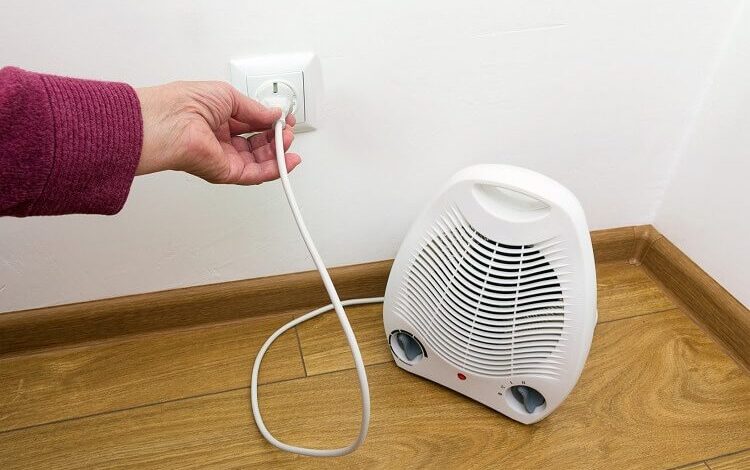
It also helps to keep appliances in good condition. A faulty kettle, heater, or washing machine can place extra strain on old circuits. Sometimes the appliance gets blamed when the real issue is the wiring behind the scenes. Bit unfair, really, but that is how these things go.
Older homes and modern expectations
People expect a lot from their homes now. Fast charging, home offices, air conditioning, outdoor entertaining, security systems, the lot. Older buildings can certainly handle modern living, but they usually need a bit of help getting there safely. That is where proper inspections and timely upgrades make all the difference.
In suburbs across Sydney, Melbourne, Brisbane, Perth, Adelaide, and beyond, many older properties still have plenty of life in them. The trick is making sure the electrical system keeps up. A home can stay full of character without being stuck in the electrical past.
A practical final thought
If something in an older house feels off, it usually deserves attention. Electrical systems often give small clues before they turn into larger problems. A quiet inspection now can save a noisy repair later, and nobody enjoys dealing with a power cut at dinner time or a tripped circuit during the middle of a summer evening.
Safe wiring, a decent switchboard, and a bit of regular maintenance go a long way. Older homes have plenty to offer, and with the right care, they can stay comfortable, reliable, and safe for years to come.