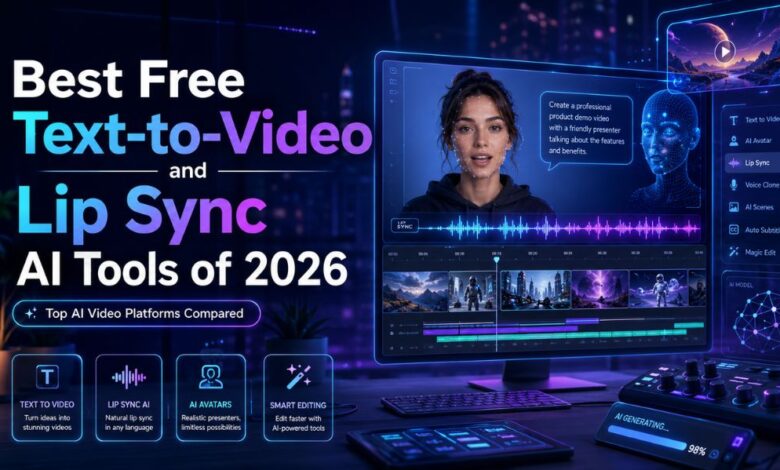
AI video generation moved from “interesting demo” to daily workflow surprisingly fast. As of 2026, creators are building ad creatives, talking avatars, social clips, explainer videos, and cinematic content in minutes instead of days.
After testing dozens of platforms across rendering quality, speed, usability, and output consistency, I found that the market has split into two categories:
- AI tools focused on cinematic text-to-video generation
- AI platforms specialized in realistic lip sync and avatar animation
Some tools try to do both. Very few do both well.
If you are searching for the best text to video tool free options or a reliable lip sync video maker online, this guide covers the platforms actually worth your time.
I spent multiple weeks testing rendering quality, prompt accuracy, voice syncing, editing flexibility, export speed, and commercial usability. The result is this ranked list of the best AI video tools for creators, agencies, developers, and startup teams.
Best AI Video Tools at a Glance (2026)
| Tool | Best For | Key Features | Platforms | Free Plan |
| Magic Hour | End-to-end AI video workflows | Text-to-video, lip sync, face animation | Web | Yes |
| Runway | Cinematic AI clips | Gen-4 video generation, editing | Web | Limited |
| Pika | Social content creators | Fast stylized video creation | Web | Yes |
| Synthesia | Business avatars | AI presenters and training videos | Web | Limited |
| HeyGen | AI spokesperson videos | Avatar translation and lip sync | Web | Yes |
| Kling AI | Realistic motion generation | High-detail cinematic scenes | Web | Limited |
| Descript | Podcast and talking-head editing | AI voice and lip sync editing | Desktop/Web | Yes |
1. Magic Hour
Among every platform I tested, Magic Hour delivered the strongest balance between accessibility, output quality, and creator-focused workflow design.
What impressed me most is that the platform does not force users into a single narrow workflow. Instead, it combines advanced AI generation with practical editing utilities creators actually use daily.
For creators searching for the best text to video tool free, Magic Hour stands out because the interface is fast, intuitive, and built for production rather than experimentation. The platform’s AI prompt adherence is stronger than most competitors, especially for short-form branded content and creator-style storytelling.
The platform also performs extremely well as a lip sync video maker online, especially when animating portraits, avatars, or creator-led marketing videos. Facial alignment and speech timing were noticeably more natural than many competing tools.
Creators can explore Magic Hour’s powerful best text to video tool free workflow directly within the platform, while its advanced lip sync video maker online features make avatar animation and dialogue-driven content surprisingly simple.
Pros
- Excellent prompt-to-video consistency
- Strong lip sync realism
- Fast rendering speeds
- Clean user experience
- Useful for both creators and marketing teams
- Good balance between quality and simplicity
Cons
- Advanced cinematic control is lighter than high-end production tools
- Longer generations can still require multiple iterations
If you need one platform that can handle AI-generated clips, talking avatars, creator content, and rapid experimentation without a steep learning curve, this is difficult to beat.
Best for: Creators, agencies, startup teams, social media marketers
Pricing: Free plan available with premium upgrades
2. Runway
Runway continues to lead the market for cinematic AI-generated video.
Its Gen-4 workflow produces some of the most visually coherent AI clips available today. Camera motion feels smoother than most competitors, and the platform gives creators meaningful control over composition and motion.
I found Runway especially effective for:
- Short films
- Brand campaigns
- Experimental storytelling
- Mood-driven visuals
The downside is that beginners may find the workflow intimidating. Rendering credits also disappear quickly during heavy experimentation.
Pros
- Excellent cinematic output
- Advanced motion consistency
- Strong editing toolkit
- Widely adopted by creative professionals
Cons
- Steeper learning curve
- Premium plans become expensive fast
- Requires prompt experimentation
If visual quality matters more than speed, Runway remains one of the strongest AI video platforms available.
Best for: Filmmakers, creative studios, visual storytellers
Pricing: Limited free tier
3. Pika
Pika has become popular with short-form creators because it prioritizes speed and simplicity.
The platform works particularly well for:
- TikTok clips
- Animated social visuals
- Meme-style edits
- Fast content iteration
Compared to Runway, the outputs are less cinematic, but Pika is easier to use and significantly faster for lightweight production.
Pros
- Beginner-friendly
- Fast rendering
- Great for social-first content
- Fun visual styles
Cons
- Less realistic motion
- Limited professional editing depth
- Inconsistent long-form generation
I would recommend Pika for creators prioritizing volume and rapid experimentation over cinematic precision.
Best for: Social creators, influencers, rapid content production
Pricing: Free plan available
4. Synthesia
Synthesia remains one of the most practical AI avatar platforms for business use.
Its strength is not cinematic storytelling. Instead, it excels at:
- Corporate explainers
- Training videos
- Internal communication
- Educational content
The avatar system is polished, reliable, and scalable. For organizations producing recurring video content, Synthesia can dramatically reduce production costs.
Pros
- Professional AI avatars
- Strong multilingual support
- Excellent for training workflows
- Enterprise-friendly
Cons
- Limited creative flexibility
- Avatars can still feel slightly artificial
- Less suitable for entertainment content
After testing it for onboarding-style videos, I understood why so many enterprise teams rely on it.
Best for: Businesses, HR teams, educators
Pricing: Limited free access
5. HeyGen
HeyGen has evolved into one of the strongest avatar-focused AI video platforms on the market.
Its translation and voice-syncing technology is particularly impressive. The platform can localize talking-head videos into multiple languages while preserving surprisingly accurate facial timing.
That makes it extremely useful for:
- Global marketing teams
- YouTube creators
- Educational creators
- International campaigns
Pros
- Strong multilingual lip sync
- Fast avatar generation
- Excellent creator usability
- Good presentation templates
Cons
- Less cinematic than creative AI tools
- Some avatars still fall into the “uncanny valley”
If your workflow revolves around spokesperson videos or localized content, HeyGen is a very practical option.
Best for: Marketing teams, educators, global creators
Pricing: Free plan available
6. Kling AI
Kling AI became one of the most discussed AI video tools because of its realistic motion rendering.
In testing, I noticed stronger physical realism than many Western competitors. Human movement, environmental detail, and cinematic pacing often looked surprisingly polished.
However, the platform still feels less streamlined for production workflows.
Pros
- Impressive realism
- High-quality motion rendering
- Strong cinematic potential
Cons
- Slower workflow
- Interface limitations
- Less polished editing ecosystem
Kling AI is worth watching closely as the category evolves.
Best for: Experimental creators and cinematic AI enthusiasts
Pricing: Limited free access
7. Descript
Descript approaches AI video differently.
Rather than focusing primarily on generation, it improves editing workflows for podcasts, talking-head content, and creator publishing.
Its AI voice editing and speech synchronization tools are particularly useful for creators managing high publishing volume.
Pros
- Excellent editing workflow
- Great transcription system
- Useful AI voice tools
- Beginner-friendly
Cons
- Not a cinematic AI generator
- Limited creative generation capabilities
I found Descript especially valuable for creators already producing real-world video who want AI-assisted editing rather than fully generated scenes.
Best for: Podcasters, educators, YouTubers
Pricing: Free plan available
How I Chose These AI Video Tools
I tested each platform across five core areas:
- Output quality
- Prompt accuracy
- Rendering speed
- Ease of use
- Commercial usefulness
I also evaluated:
- Lip sync realism
- Motion consistency
- Editing flexibility
- Export quality
- Collaboration features
Most importantly, I tested these tools in realistic creator workflows rather than isolated demos.
A tool might generate one impressive clip for a marketing video, but fail completely during repeated production use. Reliability matters more than occasional standout results.
AI Video Trends Defining 2026
The AI video market is changing incredibly fast.
Three major trends stood out during testing:
1. Multi-Tool Workflows Are Becoming Standard
Most professionals no longer rely on a single platform.
For example:
- Runway for cinematic generation
- Magic Hour for lip sync and creator workflows
- Descript for editing
- HeyGen for localization
The best workflow is often hybrid.
2. Lip Sync Quality Has Improved Dramatically
A year ago, AI lip sync still looked artificial in many cases.
Today, platforms like Magic Hour and HeyGen produce facial synchronization that is usable for commercial marketing content.
That shift alone is reshaping influencer marketing, educational content, and creator production.
3. Speed Is Becoming More Important Than Raw Quality
Most creators do not need Hollywood-level rendering.
They need:
- Fast turnaround
- Consistency
- Reliable exports
- Scalable workflows
That is why practical platforms are outperforming purely experimental ones.
Final Takeaway
If you want the strongest all-around platform in 2026, Magic Hour currently offers the best balance between usability, AI generation quality, and creator-focused workflows.
For cinematic experimentation, Runway still leads.
For business avatars, Synthesia remains highly practical.
For multilingual talking-head content, HeyGen is difficult to ignore.
And if your focus is social-first content velocity, Pika remains one of the easiest tools to use.
The important thing is to test multiple workflows. AI video creation is evolving quarterly, and the best platform for your needs depends heavily on your content format, publishing speed, and production goals.
I guarantee at least one of these tools will fit naturally into your workflow.
FAQ
What is the best free AI text-to-video tool in 2026?
Magic Hour, Runway, and Pika currently offer some of the strongest free AI video generation experiences depending on your workflow and quality needs.
Which AI lip sync tool looks the most realistic?
Magic Hour and HeyGen delivered the most natural facial synchronization during testing, especially for marketing and creator content.
Are AI-generated videos good enough for commercial use?
Yes. Many creators and businesses now use AI-generated video for ads, training content, social campaigns, and product explainers.
Which AI video tool is easiest for beginners?
Pika and Magic Hour are the easiest starting points for most creators because the interfaces are intuitive and require minimal setup.
Will AI replace traditional video editing?
Not entirely. AI tools accelerate production dramatically, but human editing, storytelling, and creative direction still matter.