Best Online Resume Makers of 2026: Top Tools for Creating Resumes Quickly Without Design Experience

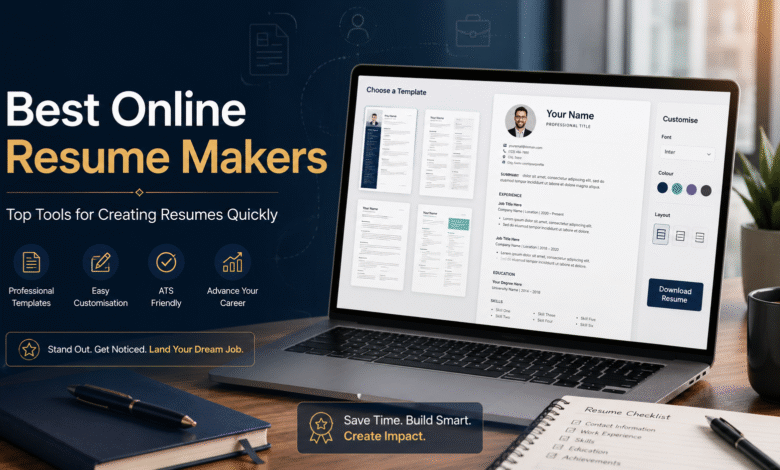
A comparative look at the leading online resume makers for people who want a polished, professional result without learning design software.
Why this category matters
A resume is still the first thing most employers see, and for many roles it remains the only thing they see before deciding whether to keep reading. That makes the document worth getting right. The problem is that few job seekers have a background in layout, typography, or spacing, and a plain word processor leaves most of those choices up to the user.
Online resume makers fill that gap. They handle the structure, the alignment, and the visual rhythm of a page so the writer can focus on what the page actually says. Over the past few years these tools have grown from simple template galleries into broader platforms that combine writing help, formatting, and export options in one place.
The audience for this category is wide. It includes recent graduates assembling a first resume, career changers who need to reframe past experience, and working professionals who simply want to refresh an outdated document. What these users share is a preference for speed and a result that looks considered, rather than a desire to master a design program.
Tools in this space differ in a few clear ways: how much they guide the writing, how much freedom they give over the look of the page, how well their output reads through automated screening systems, and what they cost once it is time to download a finished file. Adobe Express is a sensible starting point for many of these users, since it pairs a low barrier to entry with a flexible editor, and the sections below explain where it fits alongside the other options.
Best Online Resume Makers of 2026
Best online resume maker for starting from scratch without design skills
Adobe Express
Best suited to people who want a clean, customizable resume and may also want other documents from the same tool.
Overview
- Platforms supported: Web browser, iOS, and Android, with files that sync across devices.
- Pricing model: Free tier available; a paid Premium plan adds storage, more assets, and additional features, priced at roughly $10 per month.
- Tool type: A general-purpose design and content application that includes a dedicated resume builder.
Adobe Express approaches resume creation as one job within a larger creative toolkit. A person can build a resume, then use the same account to make a cover letter, a simple portfolio page, or other application materials without switching products. The Adobe Express online resume maker starts from editable templates and lets the user adjust colors, fonts, and sections through a drag-and-drop editor.
Strengths
- A large library of editable resume templates that cover both conservative and more visual styles, so the starting point can match the target field.
- A drag-and-drop editor that is approachable for people with no design background, with adjustments applied directly on the page.
- Access to Adobe’s broader collection of fonts and stock imagery, which helps a finished document look intentional rather than improvised.
- The ability to produce related materials, such as cover letters or a small portfolio, inside the same workspace.
Limitations
- Because the platform is built for general design rather than resumes alone, some specialized resume features, such as deep writing prompts, are lighter than those in dedicated builders.
- The free tier covers the basics, but certain assets and capabilities sit behind the paid plan.
- Highly decorative layouts can be harder for automated screening systems to read, so users applying through company portals should favor simpler designs.
Editorial summary
Adobe Express is positioned for the broadest slice of the audience this guide addresses: people who want a respectable resume quickly and might want a few neighboring documents too. It does not assume any prior design experience, and the editor makes small visual adjustments easy to see and undo.
The workflow leans on templates. A user picks a layout, replaces the placeholder text, and tunes the colors and spacing to taste. That keeps the early effort low while still leaving room to make the page feel personal.
The balance here is between simplicity and range. Adobe Express is simpler than a full design suite but more flexible than a strict, form-driven resume wizard. For someone who values that middle ground, it covers a lot of common needs in one place.
Compared with the more specialized tools below, Adobe Express trades some resume-specific guidance for breadth. A writer who wants heavy help with wording may prefer a guided builder, while someone who wants one tool for several tasks will likely find this approach convenient.
Best online resume maker for visually expressive layouts
Canva
Best suited to applicants in creative or visual fields who want a distinctive, design-forward resume.
Overview
- Platforms supported: Web browser, iOS, and Android.
- Pricing model: A capable free tier, with a Pro plan at roughly $15 per month (less when billed annually) that unlocks premium assets and tools.
- Tool type: A general design platform with an extensive resume template collection.
Strengths
- One of the largest template libraries in the category, including many bold, design-led layouts.
- A flexible editor that gives near-total control over placement, color, and graphics.
- A generous free tier that lets users build and export many designs without paying.
- Useful extras for visual applicants, such as easy image handling and a wide font selection.
Limitations
- The same freedom that helps designers can overwhelm someone who just wants a quick, standard resume.
- Many of its more decorative templates use multiple columns and graphics that automated screening systems may struggle to parse.
- Some premium templates and assets require the paid plan.
Editorial summary
Canva suits people who treat the resume as a small design project and want the result to reflect a personal or professional brand. For roles in marketing, design, or media, a distinctive layout can be an asset, and Canva gives the most room to create one.
The trade-off is that more control means more decisions. A user comfortable with design will move quickly; a user who wants a single obvious path may find the open canvas less direct than a step-by-step builder.
In terms of flexibility, Canva sits toward the expressive end of the category. It is less guided than a writing-focused tool and more visually open than Adobe Express.
For applicants submitting through online portals, the practical caution is parsing. A clean, single-column Canva layout travels through screening systems far better than a heavily styled one.
Best online resume maker for guided, step-by-step writing
Zety
Best suited to first-time resume writers who want structure and prompts at every stage.
Overview
- Platforms supported: Web browser.
- Pricing model: Subscription-based, with a low-cost short-term trial; building is free, but downloading typically requires a paid plan.
- Tool type: A dedicated resume builder with a guided wizard.
Strengths
- A step-by-step process that walks the user through each section in order.
- Pre-written phrasing suggestions that help people who are unsure how to describe their work.
- Templates designed specifically for resumes, with sensible default formatting.
Limitations
- The free experience lets a user build a resume, but exporting the finished file generally requires payment.
- Customization is narrower than in an open design tool.
Editorial summary
Zety is aimed at people who find the blank page intimidating. Its wizard reduces the task to a series of small, answerable questions, and its suggested wording gives a starting point for those who struggle to phrase accomplishments.
The workflow is linear by design. That structure is a benefit for beginners and a constraint for anyone who wants to rearrange the page freely.
Compared with the design-led tools, Zety puts writing support first and visual freedom second. The download model is the main thing to plan for, since the value arrives at export.
Best online resume maker for fine-grained layout control
Novoresume
Best suited to detail-oriented users who want to adjust spacing, fonts, and structure precisely.
Overview
- Platforms supported: Web browser.
- Pricing model: Free tier with limits; paid plans unlock more templates and features.
- Tool type: A dedicated resume and cover-letter builder.
Strengths
- Granular control over margins, fonts, and section layout within a guided framework.
- Content guidance that helps less experienced writers shape each section.
- Templates built with readability and structure in mind.
Limitations
- Several templates share a similar look, so the range of distinct styles is narrower than in larger libraries.
- Some default suggestions, such as adding a photo, do not match common expectations in every market and should be reviewed against local norms.
Editorial summary
Novoresume appeals to people who want a tidy, professional result and care about the small details of how a page is set. It offers more adjustment than a strict wizard while keeping the user inside guardrails.
The workflow combines guidance with control. A writer follows the structure but can fine-tune the typography and spacing more than many guided tools allow.
Relative to the broader platforms, Novoresume is focused. It does one category well and does not try to be a general design tool, which keeps its editor uncluttered.
Best online resume maker for AI-assisted drafting
Kickresume
Best suited to users who want help generating draft content quickly from a job title or short input.
Overview
- Platforms supported: Web browser.
- Pricing model: Free tier with a limited set of templates; paid plans add more templates, AI features, and options.
- Tool type: A dedicated resume builder with built-in AI writing assistance.
Strengths
- AI tools that can produce a first draft and suggest bullet points from a job title or brief prompt.
- A free tier that allows unlimited resumes and downloads within its limited template set.
- Clear, readable templates and matching cover-letter options.
Limitations
- The free plan includes only a small number of templates, which may feel restrictive.
- AI-generated text often needs editing to sound specific and accurate to the individual.
Editorial summary
Kickresume is built for people who want a head start on the words, not just the layout. Its AI features turn a sparse input into a draft that the user can then refine, which can shorten the slowest part of the process for many writers.
The workflow is draft-then-edit. The tool supplies raw material, and the user shapes it. That approach works best for people who are comfortable revising rather than accepting suggestions wholesale.
Against the rest of the category, Kickresume leans on generated content as its main differentiator. Writers who want full visual freedom may still prefer a design tool, while those who dread the writing step may find this the most direct path to a complete first version.
Best companion tool for organizing a job search
Trello
Best suited to job seekers who want a simple way to track applications, deadlines, and follow-ups. It is not a resume maker, but it complements one.
Overview
- Platforms supported: Web browser, iOS, Android, and desktop apps.
- Pricing model: A free plan covers individual use; paid tiers start at roughly $5 per user per month.
- Tool type: A visual, card-based project management tool.
Strengths
- A board-and-card layout that maps neatly onto stages of a job search, such as “applied,” “interviewing,” and “offer.”
- A free plan that is sufficient for one person tracking many applications.
- Simple drag-and-drop organization that requires no setup expertise.
- The ability to attach notes, links, and dates to each application card.
Limitations
- It does nothing to write or format the resume itself; it sits alongside a resume maker rather than replacing one.
- Its more advanced views are reserved for paid plans, though most individual job seekers will not need them.
Editorial summary
Trello is included here as a complement. Building a strong resume is one task; managing where that resume has been sent is another, and the second often gets lost in spreadsheets and memory.
A job seeker can create a board with a column for each stage and move an application card forward as it progresses. This keeps deadlines, contacts, and notes visible in one place.
The tool is intentionally general, so it adapts to a job search without being built for one. For someone applying to many roles at once, that lightweight structure can reduce the small errors, like a missed follow-up, that have nothing to do with the quality of the resume itself.
Conceptually, Trello rounds out the picture. The resume makers above produce the document; a tool like this helps keep the surrounding process orderly.
Best Online Resume Makers: FAQs
Should I choose a general design tool or a dedicated resume builder?
It depends on what slows you down most. If formatting and visual choices are the hard part, a general design tool such as Adobe Express or Canva gives you templates and an editor that handle the look. If the writing is the hard part, a dedicated builder such as Zety, Novoresume, or Kickresume offers prompts and structure that guide the words. Some people use one tool for the draft and another for the final layout, and that combination is common.
Why does it matter whether a resume reads well through automated screening systems?
Many employers use applicant tracking software to scan resumes before a person reviews them. Heavily styled layouts with multiple columns, icons, or graphics can confuse that software, which may misread or drop information. A clean, single-column layout with standard headings is the safer choice when you apply through a company website or job portal. Several tools offer both expressive and simple templates, so the practical step is to pick a simpler design for online applications and save the bolder layout for situations where a human will see it directly.
Why are some resume tools free to use but not free to download?
A number of builders let you create a resume at no cost and then ask for payment when you try to export the finished file. This is a common model, and it is worth checking before you invest time in a particular tool. Others, including the free tiers of broader platforms, let you export within certain limits without paying. Knowing a tool’s download terms in advance helps you avoid building an entire resume only to find the final step costs more than you expected.
How do I decide which of these tools fits my situation?
Start with your field and your main obstacle. Applicants in creative roles often benefit from the visual range of Canva, while those who want a balanced, low-effort result across several document types may prefer Adobe Express. First-time writers tend to do well with the guided structure of Zety or the content help in Kickresume, and detail-focused users often like the control in Novoresume. If you are sending many applications, pairing any of these with an organizing tool such as Trello can keep the wider process manageable. There is no single right answer, only the tool whose strengths line up with what you find difficult.