LinkedIn is the world’s largest professional network on the internet, allowing users to find the right job or internship, connect and strengthen professional relationships, and learn the skills they need to succeed in their career. However, standing out on LinkedIn requires more than just a polished profile — it demands engaging content that captures attention. That’s where Vidnoz AI comes in. It is an innovative platform designed to simplify video creation for professionals. If you’re looking to learn everything about this amazing AI Video Generator, you’re in the right place. Follow this guide to learn how Vidnoz AI empowers users to create compelling LinkedIn videos that elevate their personal brand and leave a lasting impression.
Part 1: Introducing Vidnoz AI
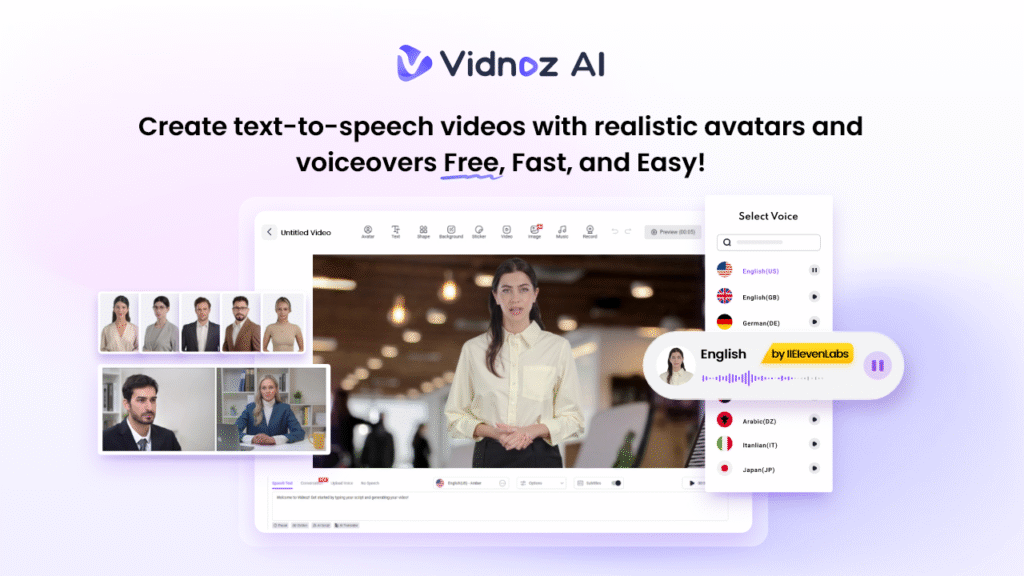
When it comes to high-quality AI video generation, the first tool that comes to mind is Vidnoz AI. It is a powerful AI tool that enables users to generate engaging, professional-grade videos with minimal effort. Whether you’re creating personalized video messages for LinkedIn, producing marketing content, or enhancing your email outreach, Vidnoz AI streamlines the entire process. The best part of this tool is that it is certified with ISO/IEC 27001:2022 for Information Security Management. Further, it offers a wide range of AI tools, including AI Talking Avatar, Online Video Editor, AI Video Enhancer, AI Dance Photo, AI Cartoon Generator, AI Text to Video, and more.
Part 2: Why Vidnoz AI Is The Ultimate Tool for LinkedIn Success
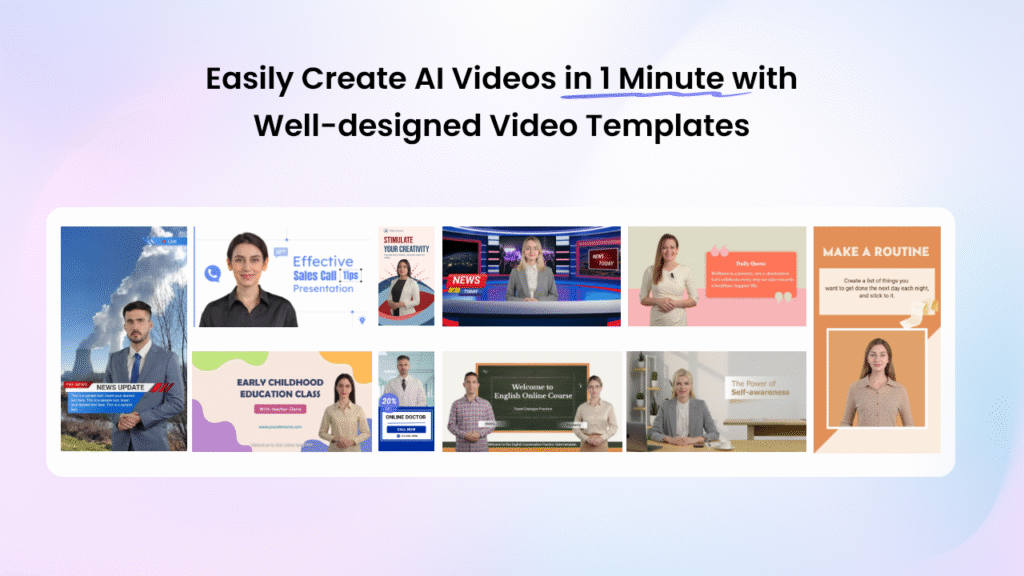
Vidnoz AI Video Generator offers amazing features, making it the ultimate tool for LinkedIn success. Here are the top features of this program:
- Customizable Video Templates: Vidnoz AI includes 2800+ video templates, allowing users to generate various types of videos, including personalized LinkedIn videos, how-to guides, product demos, sales pitches, breaking news, and more. It also includes a great variety of aspect ratio templates, including landscape and portrait, to match the display requirements of different devices.
- High-Quality AI Voices: The standout feature of this tool is that it offers 2000+ AI voices. The program includes voices of celebrities like Taylor Swift, Morgan Freeman, and more. All the voices available on this program are powered by ElevenLabs, Google, and Microsoft.
- Lifelike AI Avatars: It provides over 1900 realistic AI avatars from different industries and roles, such as doctors, hosts, customer supporters, chiefs, and teachers. Vidnoz AI motion avatars perform full-body movements, including gestures, posture, and expressions. Plus, users can create digital twins using Avatar Lite, and Avatar Pro offers deeper customization features.
- Free Version: The best part of Vidnoz AI is that it enables users to create high-quality videos without spending a single penny. The free version offers 30 free credits and includes powerful AI tools like AI Video Generator, Text-to-Video, Online Video Editor, AI Voice Changer, and more.
- AI Video Wizard: No editing experience required? Yes, with Vidnoz AI, users can generate high-quality videos with a simple text prompt or any source material — no professional help required.
Part 3: Vidnoz AI: Video Types That Boost Your LinkedIn Profile
With the help of Vidnoz AI, users can create a variety of videos that can elevate their LinkedIn profile. Some popular types include:
- Personalized Introduction Videos: With this tool, users can generate personalized introduction videos, highlighting their skills, experience, and unique value.
- Product or Service Demos: Vidnoz AI allows users to create professional product or service demonstration videos that clearly showcase what they offer.
- Quick Tips & Tutorials: This tool enables users to create engaging tutorial videos that deliver immediate value to your LinkedIn audience.
- Career Updates & Achievements: Users can share promotions, certifications, or milestones through dynamic videos to celebrate achievements and maintain professional presence.
Part 4: How to Use Vidnoz AI to Create Professional LinkedIn Videos
With the help of this tool, users can create professional videos with simple steps. Here is how to do it:
- Go to Vidnoz AI’s official site and click on the “Create Free Video Now” button. Log in with your free account and select the Video Templates and AI Avatars.
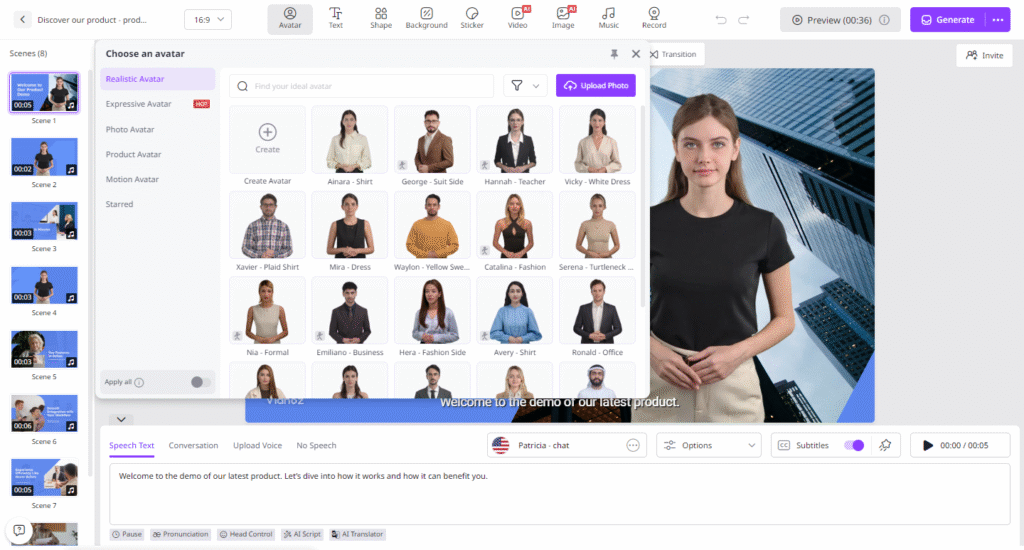
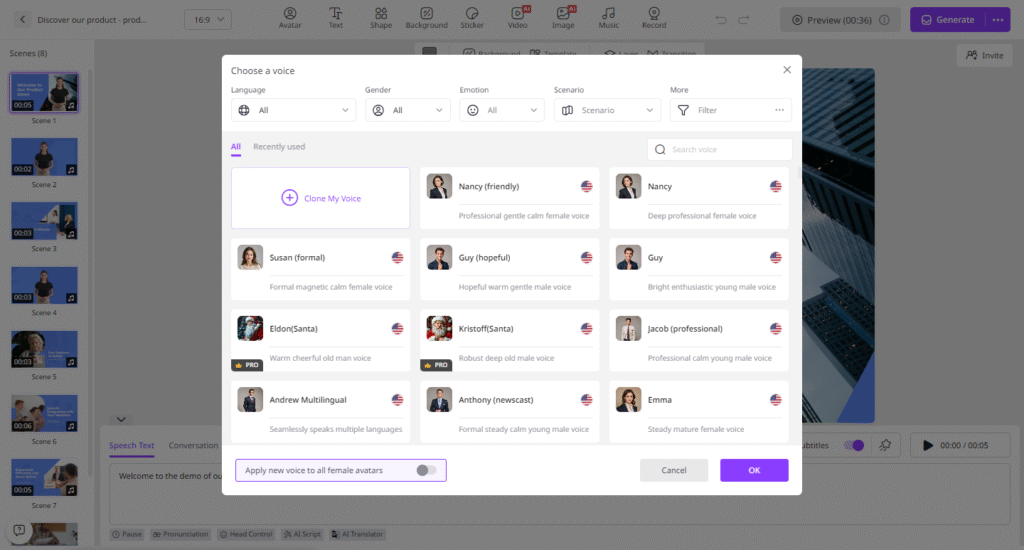
- Input your video script and choose the AI voice. Next, select the language of your video. Vidnoz AI supports 140+ languages, including English, Chinese, Turkish, Japanese, and more.
- Now, use the Online Video Editor to customize it according to your requirements. Users can adjust the background, add music, insert text, and more.
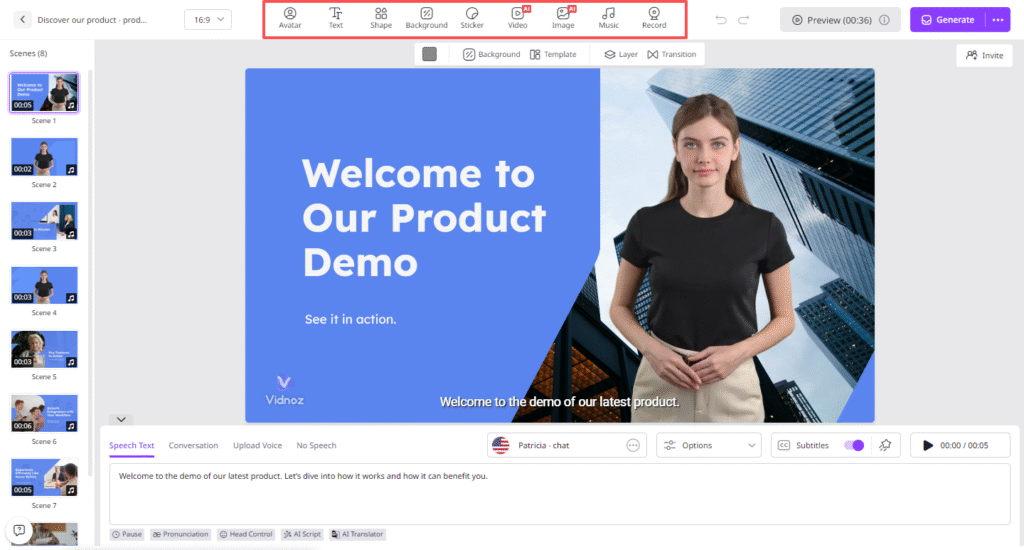
- Once all the requirements are complete, click on the “Generate” button to begin the video creation process. Within seconds, your AI video will be ready. Preview and download it in a popular format.
Conclusion
If you want to truly stand out on LinkedIn, simply having a polished profile isn’t enough — you need content that engages and connects with your audience. Vidnoz AI makes this effortless by enabling professionals to create high-quality, personalized videos that showcase their expertise, products, and achievements.