There’s something quietly brilliant about the idea of waking up in a different country every morning without having to repack your suitcase. For a lot of people, the dream of visiting several places in one trip quickly runs into the reality of juggling flights, hotel check-ins, train timetables, and the general chaos that comes with moving around constantly. Cruises sidestep most of that. They’re not perfect for everyone, but as a way of seeing a lot without burning out, they’re genuinely hard to beat.
The Logistics More or Less Sort Themselves
The most obvious appeal is how little you have to organise once you’re onboard. The ship moves, you sleep, and by morning there’s somewhere new outside the window. No frantic dashes through airports, no hunting for taxis at midnight, no arguments about which hotel breakfast is included. You just arrive. That ease of movement between places is something most forms of travel simply can’t offer, and it makes a real difference to how you feel by the end of the trip. Even if you’re the sort of person who enjoys planning, it’s rather nice not to have to. For those who decide on a whim, last minute cruise deals can make the whole thing even more accessible, without months of preparation required.
The Variety Is Genuinely Impressive
What tends to surprise people is just how different each port can feel, even on a relatively short itinerary. A Mediterranean cruise might take you from the faded grandeur of a Sicilian hilltop town to the whitewashed chaos of a Greek island, followed by a lazy afternoon in a Spanish harbour. A Northern European route could swing between Copenhagen’s cycling-friendly boulevards, Norway’s dramatic fjords, and the ornate architecture of St. Petersburg. Each stop brings something entirely different, food, language, atmosphere, pace of life. You’d struggle to get that range any other way without it becoming a logistical nightmare.
Something for Everyone at Every Port
One of the underrated things about cruising is that it doesn’t demand you travel like anyone else. If you want to spend a morning inside a Byzantine church followed by lunch at a harbour-side restaurant, that’s entirely doable. If someone else in your group would rather hire bikes and cycle along the coast, they can do that instead. History, food, walking, wildlife, beaches, most ports offer a reasonable mix, and the ship gives everyone a neutral space to reconvene afterwards. There’s no pressure to experience every destination in the same way, which makes it a surprisingly good fit for groups with mixed interests.
Shore Excursions and Going It Alone
Most cruise lines offer organised excursions if you’d rather have someone else do the thinking. These can be genuinely worthwhile, a knowledgeable local guide makes a significant difference when you’re trying to understand the history of a place you’ve never visited before. A walking tour through the medina of a North African city, a vineyard visit in southern France, or a fjord kayaking trip in Norway can all add real depth to what might otherwise feel like a brief surface-level visit. That said, plenty of ports are perfectly manageable on your own. Wandering without a plan, finding a café, getting a little lost, that’s still entirely possible, and sometimes it’s the better option.
The Rhythm of It Works Well
Multi-destination trips on land can be exhausting. Moving hotels every couple of days, dragging luggage across train stations, mentally adjusting to each new place before you’ve properly settled in, it adds up. Cruises have a different rhythm. You explore during the day, return to the same cabin each evening, and the ship does the travelling overnight. That consistency makes it easier to enjoy each destination rather than simply endure the transitions between them. The onboard side of things, meals, a swim, an evening drink on deck, fills the gaps in a way that doesn’t feel like dead time.
Covering Distance Without the Faff
There’s also something to be said for the practical efficiency of it. A Caribbean cruise, for instance, might include Jamaica, the Cayman Islands, and the Bahamas in a single itinerary. To do that independently would mean booking several flights, multiple hotels, and organising transport between them at each stop. The costs and the complexity mount up quickly. By contrast, a cruise packages all of that into one booking. It won’t always be the cheapest option, but when you factor in what’s included, accommodation, most meals, entertainment, transport between destinations, the value often makes more sense than it first appears.
It Works Across Different Types of Travellers
Families tend to get on well with cruising because the ship keeps everyone occupied. Children have their own supervised activities, which means parents can actually explore a port without managing a small person’s mood in the midday heat. Solo travellers often find it sociable without being overwhelming, there’s company available if you want it, and perfectly comfortable solitude if you don’t. Groups with varying budgets or preferences can usually find a way to make it work, because the structured itinerary takes the negotiation out of deciding where to go next.
A Different Way of Seeing the World
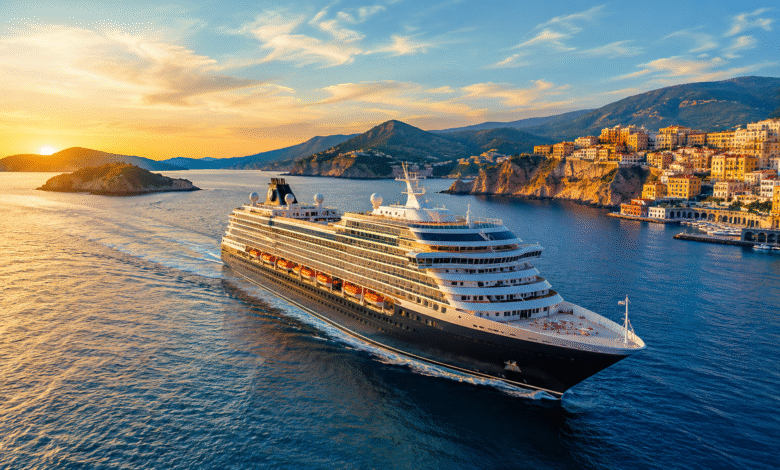
Perhaps the least tangible benefit is the perspective the journey itself provides. Watching a coastline appear on the horizon, or sailing into a harbour as the sun comes up, gives a sense of arrival that flying simply doesn’t. The gradual approach, seeing a place before you reach it, changes how you experience it. There’s a connection to the geography of travel that gets lost when you’re teleported between airports. It makes the world feel both larger and more coherent at the same time.
Cruises aren’t the answer to every kind of trip, but for seeing several places without sacrificing your sanity, they make a strong case for themselves.