The internet now sits at the centre of daily life in Britain. People use it to check work emails, talk with friends, shop, pay bills, book trips, and manage bank accounts.
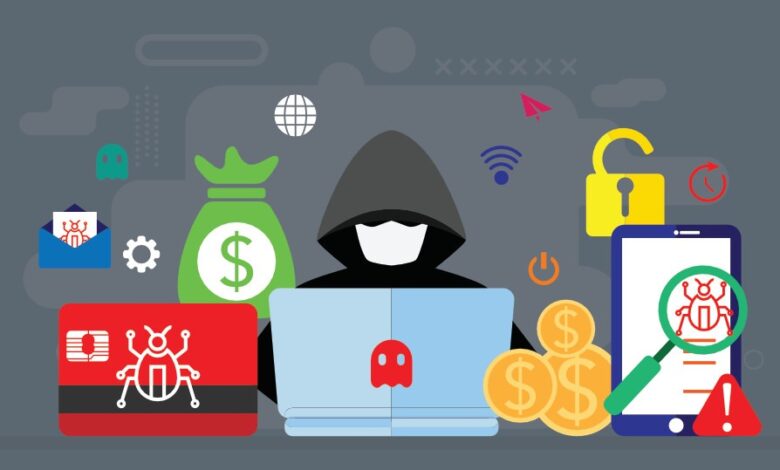
This convenience also creates new risks. Scammers, data thieves, and other criminals use fake messages, copied websites, unsafe apps, and dishonest phone calls to target ordinary people.
You do not need expert computer skills to protect yourself. A few simple habits can reduce the risk of losing money, personal details, or access to important accounts.
Understand the Online Threats Around You
Online threats take many forms, but most depend on the same trick. A criminal tries to make you feel worried, rushed, curious, or excited.
Phishing remains one of the most common methods. A fake email or text may appear to come from your bank, HMRC, Royal Mail, an energy supplier, or a well-known shop.
The message may say that a parcel is delayed, a payment has failed, or your account will close. It then asks you to click a link, open a file, or enter personal details.
Identity theft is another serious risk. Once criminals collect enough information, they may try to open accounts, apply for credit, or take control of services in your name.
Malware can also damage a device or steal data. It may enter through an unsafe download, infected attachment, fake app, or hacked website.
Public Wi-Fi creates another weak point. An unsafe network may expose your activity or direct you towards a false login page.
Protect Your Email Account First
Your email account often controls access to the rest of your digital life. Banks, shops, social platforms, and cloud services may all send password reset links to it.
Use a strong and separate password for your main email account. Never reuse that password on another website or app.
A long password made from several random words is often easier to remember and harder to guess. Avoid using names, birthdays, football clubs, pet names, or simple number patterns.
A password manager can create and store strong passwords for you. You only need to remember one secure main password.
Do not use the same password across several websites. If one service suffers a data breach, criminals may test that password on your email, banking, shopping, and social accounts.
Add Two Factor Authentication
Two factor authentication adds another security check when you sign in. You may need to enter a code, approve a phone alert, use an app, or scan your fingerprint.
This extra step can protect your account even when somebody discovers your password. Without the second check, the stolen password may not be enough.
Turn it on for your email, banking, cloud storage, shopping accounts, and social media profiles. Start with the accounts that contain financial or personal information.
An authentication app may offer stronger protection than a text message. However, any second security step is usually better than relying on a password alone.
Some services also support passkeys. They allow you to sign in through your phone or computer using a PIN, fingerprint, or face scan.
Stop and Think Before Clicking
Phishing emails can look very convincing. Criminals often copy the names, logos, colours, and writing styles of trusted organisations.
They may also create urgency. A message may warn that your account has been locked, your payment has failed, or your parcel cannot be delivered.
Stop before taking any action. Check the sender’s full email address and pay close attention to the domain name.
An address such as “Barclays-help@helpful.com” may contain the bank’s name, but it does not belong to Barclays. The final part of the address shows the real domain.
Do not click a link when you feel unsure. Open the organisation’s official app or type its website address into your browser yourself.
Treat unexpected attachments with care. A fake invoice, statement, receipt, or document may contain malware.
When you need a document, download it directly from the organisation’s official website. This is safer than using a link inside an unexpected message.
Be Careful with Unexpected Calls
Scammers may call and claim that your bank account has been attacked. They may ask you to share a code, move your money, or install an app.
A genuine bank will not ask you to transfer your savings into a so-called safe account. It should not ask for your full password or private security codes.
End the call when something feels wrong. Contact the organisation through the number printed on your bank card, statement, or official website.
Do not allow an unknown caller to control your phone or computer. Remote-access software may let criminals view your screen, read messages, and enter your banking account.
Caller ID is not always reliable. Criminals may make a call appear to come from a familiar company or local phone number.
Protect Your Personal Information
Every piece of information you share online may help someone build a picture of your life. This does not mean you must leave social media, but you should choose carefully what you post.
Avoid sharing your full date of birth, home address, mother’s maiden name, first school, or childhood pet. Websites often use similar details as account security questions.
Review the privacy settings on your social accounts. Limit who can view your posts, phone number, email address, friend list, and family information.
Think carefully before posting holiday plans. A public update may tell strangers that your home is empty.
Online quizzes can also collect useful personal details. Questions about your first car, childhood street, or favourite teacher may look harmless but can reveal possible security answers.
When filling in an online form, provide only the details that the service genuinely needs. Leave optional fields blank when possible.
Use Better Browsing Habits and Privacy Tools
Strong online safety depends on daily habits. It is similar to locking your front door or keeping your bank card secure.
Modern browsers include privacy settings that can reduce tracking, block pop-ups, and warn you about dangerous websites. Review these settings instead of relying only on the default options.
Private browsing mode prevents the browser from saving some local history, cookies, and form details after the session. However, it does not make you invisible to websites, employers, internet providers, or network owners.
A virtual private network can encrypt the connection between your device and the VPN service. This can be useful when you work, browse, or travel on shared networks.
You can learn how to download a VPN and install it on your phone, tablet, or computer. Once connected, it can add a useful layer of privacy, especially on public Wi-Fi.
A VPN cannot make a fake website safe. It also cannot stop you from entering details into a scam page, so you must still check links and payment requests.
Use Public Wi-Fi with Care
Free Wi-Fi is common in cafés, hotels, airports, shopping centres, and railway stations. It is useful, but it may not always be secure.
Check the correct network name with a member of staff. A criminal may create a network with a similar name to trick nearby users.
Avoid banking, shopping, or entering important passwords on public Wi-Fi. Use your mobile data when handling financial or highly personal information.
Turn off automatic Wi-Fi connections and file sharing. Remove or forget the network from your device when you finish using it.
A VPN may protect data travelling through the network, but you still need to avoid suspicious websites, files, adverts, and login pages.
Keep Your Devices Updated
Software updates do more than add new features. They often repair security weaknesses that criminals may use to enter a device.
Turn on automatic updates for your phone, computer, tablet, browser, and important apps. Install updates as soon as they become available.
Only download apps from official stores or trusted company websites. Check what information an app wants to access before installing it.
A simple game or torch app should not need permission to read your messages, use your microphone, and view all your contacts.
Remove old apps and browser extensions that you no longer use. Each unused program creates another possible weak point.
Protect every device with a strong PIN, password, fingerprint, or face scan. This can limit access when a device is lost or stolen.
Back Up Important Files
Malware, theft, damage, and simple mistakes can destroy important files. A reliable backup can help you recover family photos, work documents, and personal records.
Keep copies in more than one place. You may use secure cloud storage along with an external drive.
Disconnect the external drive after completing the backup. Malware may also damage a backup drive that remains connected to an infected computer.
Check your backups from time to time. A backup only helps when the files are complete and can be restored.
Shop Online Safely
Fake online shops often attract buyers with large discounts. They may copy product images, descriptions, and customer reviews from genuine retailers.
Check the full website address before entering payment details. Search for the company’s name with words such as “reviews,” “complaints,” or “scam.”
Look for HTTPS and the padlock symbol, but do not treat them as proof that a seller is honest. They only show that the connection between you and the website is encrypted.
Use a credit card or another trusted payment service when possible. These methods may provide stronger purchase protection than sending money directly to a seller.
Stay within the payment system of an online marketplace. A seller who asks you to pay privately may be trying to remove the platform’s buyer protection.
Be suspicious of prices that seem far below the normal market rate. A luxury item sold for a tiny part of its usual price may be fake, stolen, or nonexistent.
Avoid sellers who demand payment through cryptocurrency, gift cards, or unusual bank transfers. Genuine retailers normally provide familiar and secure payment options.
Watch Your Bank Accounts
Check your bank and credit card statements regularly. Small unknown payments may appear before criminals attempt a larger transaction.
Turn on payment alerts through your banking app. These alerts can help you notice suspicious activity quickly.
Contact your bank at once when you see a payment you do not recognise. Do not wait for another transaction to appear.
Never approve a banking alert unless you started the payment yourself. A criminal may already have your login details and only need your approval to complete the transfer.
Act Quickly After a Scam
Do not feel embarrassed if a scam catches you. Criminals use professional designs, stolen information, and emotional pressure to make their stories convincing.
Contact your bank immediately when money or payment details are involved. Ask it to freeze affected cards, review payments, and protect the account.
Change the password for the affected service. Then change any other account that used the same or a similar password.
Turn on two factor authentication and sign out of other devices where possible. Check your recovery email address and phone number to make sure criminals have not changed them.
Warn your contacts when someone may be using your email or social account. This can stop friends and relatives from trusting fake messages sent in your name.
Keep copies of emails, messages, phone numbers, receipts, and payment records. These details may help your bank, platform, or authorities investigate the case.
Report Suspicious Activity
Reporting a scam may help stop the same criminal from targeting someone else. Report suspicious emails, adverts, listings, and accounts through the platform where you found them.
Forward suspicious emails to the UK’s official phishing reporting service. Scam text messages and calls can often be reported to your mobile provider by sending the details to 7726.
Report financial fraud through the official UK fraud reporting service. People in Scotland may also contact Police Scotland through 101.
Contact the police or emergency services when there is an immediate risk to a person’s safety.
Make Online Safety Part of Daily Life
Online safety does not need to feel complicated. Strong protection comes from a few simple actions repeated every day.
Use separate passwords, turn on two factor authentication, update your devices, and back up important files. Check messages and web addresses before opening links.
Share less personal information and question any unexpected request involving money, passwords, downloads, or security codes.
Most importantly, do not let urgency control your decision. Stop, check the facts, and contact the organisation through a method you already trust.