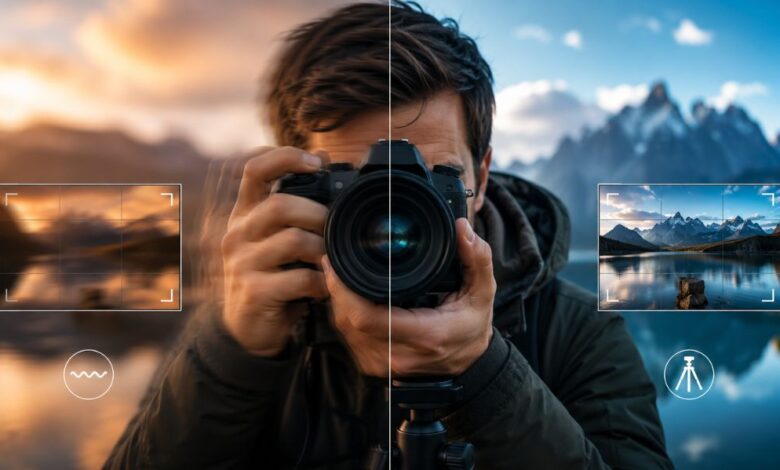
Photography is often about timing, light, and creativity, but even a beautiful scene can be ruined if the final image comes out blurry. One of the most common reasons this happens is camera shake. Many beginners think they need expensive gear to solve the problem, but the truth is that learning how to fix shaky hands photography starts with understanding why blur happens and how you can control it. Shaky hands are normal, especially when shooting in low light, using a heavy camera, zooming in, or trying to capture a quick moment. The good news is that with the right techniques, camera settings, and a little practice, you can take much sharper photos even without a tripod.
Why Shaky Hands Cause Blurry Photos
When you press the shutter button, the camera records light for a short amount of time. If the camera moves during that moment, the image may become soft or blurry. This movement is called camera shake. It is different from subject motion. If the subject moves, only the subject may appear blurry. But if the camera moves, the entire photo can look unclear. This is why shaky hands are a serious issue in photography. The problem becomes more noticeable in low-light situations because the camera often uses a slower shutter speed to collect enough light. It also becomes worse when using a telephoto lens, because zooming in magnifies every small movement of the hands.
Use a Faster Shutter Speed
The most important setting for reducing shaky-hand blur is shutter speed. A faster shutter speed freezes movement better and gives the camera less time to record hand movement. A common rule is to use a shutter speed at least equal to the lens’s focal length. For example, if he/she is using a 50mm lens, try to shoot at 1/50 second or faster. If using a 200mm lens, try 1/200 second or faster. However, modern high-resolution cameras can show blur more easily, so going even faster is often better. For handheld photography, 1/125 second is usually safer for general shooting, while 1/250 second or faster is better for moving subjects or longer lenses.
Improve the Way He/She Holds the Camera
Good camera handling can make a huge difference. He/she should hold the camera with both hands, keeping one hand on the grip and the other hand supporting the lens from underneath. The elbows should stay close to the body instead of pointing outward. This creates a more stable position and reduces hand movement. The camera should be gently brought to the face, with the viewfinder serving as a third point of contact. If using a phone, he/she should hold it with both hands and keep the arms slightly tucked in. A relaxed but firm grip is better than squeezing the camera too hard, because tension can actually increase shaking.
Control Breathing Before Pressing the Shutter
Breathing affects body movement more than many people realize. Before taking a photo, you can inhale normally, exhale slowly, and press the shutter gently at the end of the breath. This is a simple trick used by many photographers because it helps reduce small body movements. The goal is not to hold the breath for too long, because that can create tension. Instead, you should stay calm and steady. Pressing the shutter button should feel smooth, not sudden. A quick jab at the shutter can move the camera and cause blur, especially at slower shutter speeds.
Use Image Stabilization
Many cameras and lenses include image stabilization, sometimes called vibration reduction, optical stabilization, sensor-shift stabilization, or in-body stabilization. This feature helps reduce blur caused by small hand movements. If you have this feature, it should usually be turned on when shooting handheld. Image stabilization is especially useful for low-light scenes, portraits, street photography, and travel photography. However, it does not freeze a moving subject. It only helps reduce camera shake. For example, it can help keep a building sharp in dim light, but it will not stop a running child from appearing blurry if the shutter speed is too slow.
Raise ISO When Needed
Many photographers are afraid to increase ISO because higher ISO settings can add noise or grain to photos. However, a slightly noisy photo is usually better than a blurry one. If shaky hands are causing blur, raising ISO can help the camera use a faster shutter speed. For example, moving from ISO 400 to ISO 1600 may allow the shutter speed to become much faster, which can save the photo. Modern cameras and smartphones handle higher ISO better than older models, so he/she should not be afraid to use it when necessary. Sharpness is often more important than perfectly clean image quality.
Open the Aperture for More Light
Another way to get a faster shutter speed is to use a wider aperture. A low f-number, such as f/1.8, f/2.8, or f/4, lets more light enter the camera. This helps reduce camera shake because the camera does not need to keep the shutter open as long. A wide aperture is especially useful for portraits, indoor photography, and night scenes. However, it also creates a shallower depth of field, meaning less of the image will be in focus. He/she should focus carefully on the main subject, especially the eyes, when photographing people. If more background sharpness is needed, a smaller aperture may be better, but then stabilization or a tripod may be necessary.
Lean Against a Stable Object
When a tripod is not available, he/she can still use the environment for support. Leaning against a wall, tree, pole, railing, or doorway can reduce body movement. He/she can also rest the camera or elbows on a table, bench, rock, bag, or fence. This technique is very useful for travel, street photography, and low-light scenes. Even a small amount of support can make a photo much sharper. If using a phone, resting the hands against a stable object can help a lot. The key is to create additional contact points so the camera does not rely solely on the hands.
Use Burst Mode for Better Results
Burst mode can help when you struggle with shaky hands. Instead of taking one photo, the camera captures several images quickly. Often, the first photo may be slightly blurry because of the shutter press, while the second or third photo is sharper because the camera becomes steadier. This does not fix every problem, but it increases the chances of getting one sharp image. Burst mode is especially useful for portraits, wildlife, events, children, pets, and handheld low-light photography. After shooting, you can review the images and keep the sharpest one.
Choose the Right Lens
Lens choice matters when learning how to fix shaky hands in photography. Shorter lenses are easier to handhold because they do not magnify movement as much as long lenses. A 24mm or 35mm lens is usually easier to keep steady than a 200mm lens. Lenses with built-in stabilization can also help. Prime lenses with wide apertures, such as 35mm f/1.8 or 50mm f/1.8, are great for low-light photography because they allow faster shutter speeds. Heavy lenses can make hand shake worse if he/she becomes tired, so it is important to choose a lens that feels comfortable for the shooting situation.
Use a Tripod or Monopod When Possible
A tripod is one of the best tools for eliminating camera shake. It is especially useful for night photography, landscapes, product photography, long exposures, and sharp architectural shots. If carrying a tripod is not practical, a monopod can still provide extra stability while being lighter and easier to move. Small tabletop tripods can also work well for phones and compact cameras. When using a tripod, he/she should also use a timer or remote shutter release to avoid camera shake when pressing the shutter button. For very sharp results, even the action of touching the camera can matter.
Use the Timer or Remote Shutter
Pressing the shutter button can cause movement. A simple way to avoid this is to use the camera’s self-timer. A two-second timer is often enough for handheld-supported shots or tripod shots. A remote shutter release, Bluetooth remote, or phone app can also help. This is very useful for long exposure photography, night scenes, macro photography, and group photos. If he/she is using a smartphone, voice commands or a timer can reduce movement when taking the shot. This small habit can make a noticeable difference in sharpness.
Practice Better Body Position
Body posture affects stability. He/she should stand with feet about shoulder-width apart, with one foot slightly forward. Knees should be relaxed, not locked. The body should feel balanced. If possible, sitting, kneeling, or crouching can create a more stable shooting position. When kneeling, resting an elbow on the knee can help support the camera. For very low angles, placing elbows on the ground can create a stable base. The goal is to turn the body into a natural tripod. Over time, these positions become automatic, making handheld photography much easier.
Keep Hands Relaxed and Avoid Fatigue
Shaky hands can become worse when you are tired, cold, hungry, stressed, or holding a heavy camera for too long. Taking short breaks can help. Stretching the hands and shoulders can reduce tension. In cold weather, wearing gloves that still allow camera control can make a big difference. If the camera setup is too heavy, switching to a lighter lens or using a strap for support can help. A neck strap or wrist strap can add stability when pulled gently against the body. Comfort is an important part of sharp photography because tired muscles are less steady.
Clean Technique Matters More Than Expensive Gear
Many people think blurry photos mean they need a better camera, but technique is often the real issue. A professional camera can still produce blurry photos if handled poorly. On the other hand, a basic camera or smartphone can take sharp images when used correctly. He/she should focus first on proper shutter speed, good posture, careful breathing, and stable hand placement. Once these basics become natural, better gear can help even more. But gear should support skill, not replace it.
Common Mistakes to Avoid
One common mistake is using shutter speeds that are too slow for handheld shots. Another is holding the camera with one hand, especially while using the screen instead of the viewfinder. Many beginners also zoom in too much in low light, which makes the shake more visible. Pressing the shutter too aggressively is another problem. He/she should also avoid relying only on image stabilization. Stabilization is helpful, but it cannot solve every situation. Understanding the limits of each tool is important for getting consistently sharp photos.
Conclusion
Learning how to fix shaky hands in photography is not about having perfectly steady hands. It is about using the right habits, settings, and support methods to control movement. Faster shutter speeds, better grip, steady breathing, image stabilization, higher ISO, wider aperture, and smart body positioning can all help he/she capture sharper images. A tripod, timer, or remote shutter can improve results when the situation allows. With practice, these techniques become simple and natural. The more he/she applies them, the easier it becomes to take clear, sharp, and professional-looking photos in everyday situations.
(FAQs)
Why are my photos blurry even when my subject is still?
Your photos may be blurry because of camera shake. Even if the subject does not move, small hand movements during the exposure can make the entire image look soft. Use a faster shutter speed, hold the camera properly, and turn on image stabilization if available.
What shutter speed should I use for shaky hands?
For general handheld photography, 1/125 second or faster is a good starting point. With longer lenses, use a faster speed, such as 1/250 second or 1/500 second. The longer the lens, the more visible hand movement becomes.
Does image stabilization completely fix shaky hands?
No, image stabilization helps reduce camera shake, but it does not completely fix every blurry photo. It works best for still subjects and small hand movements. It cannot freeze fast-moving subjects if the shutter speed is too slow.
Can I fix shaky photos after taking them?
Some editing software can slightly improve sharpness, but it cannot fully repair a badly blurred photo. It is always better to prevent blur while shooting by using proper technique and camera settings.
Is a tripod necessary for sharp photos?
A tripod is not always necessary, but it is very helpful for low light, landscapes, night photography, and long exposures. For everyday handheld photography, good posture, faster shutter speed, and stabilization are often enough.
How can I take sharper photos with a phone?
Hold the phone with both hands, keep your elbows close to your body, tap to focus, use good lighting, and avoid digital zoom when possible. You can also use a timer, lean against a stable object, or use a small phone tripod for better results.