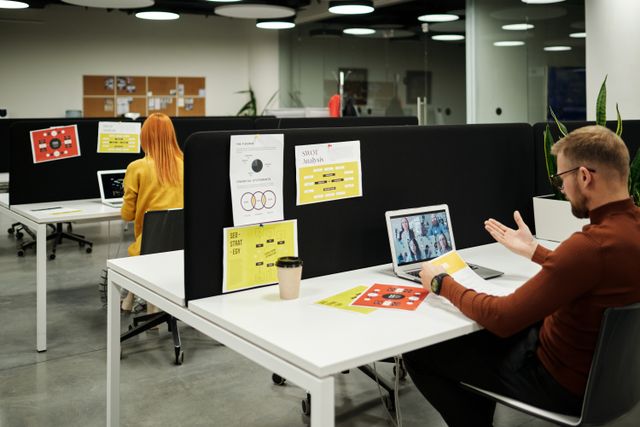
Eight-plus hours a day. That’s how long many of us spend in a workspace that may not even be built around what we actually do. Plenty of professionals are stuck in setups that fight against their workflow, creating low-grade friction that chips away at both output and comfort. This isn’t about luxury. Getting your office right is a practical move that shapes how efficiently you work and, honestly, how you feel when you finally shut your laptop at the end of the day.
Assess Your Daily Work Tasks
Be ruthless and honest here. Write down what actually fills your hours, not what’s on your job description, but what you genuinely do. Typing? Video calls? Deep reading? In-person collaboration? Those specific activities are the foundation every other decision rests on.
Then think about the tools and materials you reach for constantly. If you’re forever toggling between your screen and a stack of physical documents, your desk arrangement needs to make both instantly accessible. Run a lot of video calls? Monitor angle, background, and lighting suddenly become non-negotiable. Someone handling administrative work operates in a completely different physical reality than someone running client meetings or managing creative projects. Map your actual workflow, not an idealized version of it, and your setup can start serving it properly.
Work style matters too. Some people genuinely focus better with ambient noise; others need near-silence. Some can sit contentedly for hours; others feel caged without the option to stand. These aren’t small preferences to paper over. Your office should fit not just what you do, but the particular way you do it.
Evaluate Your Current Workspace Limitations
Before anything else, take stock of the physical reality you’re working with. Dedicated home office? Shared commercial space? A corner of a bedroom? Measure the floor area. Note where windows, outlets, and fixed features sit. A plan that looks perfect in your head can fall apart fast when it collides with a wall in the wrong spot.
Natural light deserves its own attention. It genuinely lifts mood and reduces eye strain, but it can also throw brutal glare across your screens at certain hours. Track where sunlight enters and at what times. If your space is windowless or dim, artificial lighting isn’t optional; it’s essential for preventing the kind of fatigue that sneaks up on you by mid-afternoon.
Noise and interruptions are trickier. Are you near a busy road, open-plan colleagues, or a lively household? Can you control your door? Some environments allow sound-dampening modifications; others have strict policies against them. Know what’s actually possible before you plan around solutions you can’t implement.
Determine Your Equipment Needs
Equipment should serve your work. Not the other way around. If writing consumes most of your day, an ergonomic keyboard might matter far more than monitor size. A graphic designer almost certainly needs a larger display, or a second one. Someone whose job is essentially a series of video calls should prioritize a decent camera and microphone over almost everything else.
On the question of monitors: a second screen dramatically cuts workflow for some people, eliminating constant window-switching. For others, it’s just visual noise. There’s no universal answer. Same logic applies to desk type, standing, seated, or adjustable. For professionals who regularly shift equipment between workstations, a height adjustable cart gives the flexibility to reposition monitors, laptops, or peripherals without grinding workflow to a halt.
Storage needs swing wildly depending on what you handle. Someone working purely digitally might need nothing more than a small shelf. A consultant juggling multiple client files needs actual filing space. An educator preparing materials has different organizational demands than an accountant managing financial records. Match your storage solution to the volume and type of stuff you genuinely deal with, not some imagined tidy version of your work.
Consider Ergonomics and Health
Bad ergonomics aren’t just uncomfortable. They produce back pain, neck strain, wrist problems, headaches, all of which bleed directly into your work quality and your life outside the office. Your chair needs to support your lower back, with feet resting flat on the floor. Monitor at eye level, roughly arm’s length away. Keyboard and mouse positioned so your elbows sit at around ninety degrees without your shoulders creeping upward.
Before spending on new furniture, actually adjust what you have. Raising your monitor on a stack of books, swapping in a different chair, these small, cheap moves sometimes fix discomfort that workers had assumed required a major overhaul. If pain persists despite sensible adjustments, see an occupational health specialist or ergonomist. Don’t just adapt to it.
Movement matters too, separately from desk height. An adjustable desk is meaningless if you lock yourself into one position for eight hours. Build in stretching, short walks, position changes. Some setups benefit from having two distinct zones: one for sitting, one for standing, used for different task types. Small and consistent shifts in movement carry outsized effects on energy and long-term health.
Test Changes Before Making Major Investments
Don’t buy the standing desk before you know you’ll actually use it. Borrow equipment from colleagues. Rent locally. Cobble together a temporary version of what you’re considering. Many people buy enthusiastically, then discover, after the return window closes, that they prefer sitting most of the time anyway.
Commit to working in the trial setup for at least a week under your normal schedule. Pay attention. Does it actually address the friction you noticed? A second monitor might create neck strain from constant turning. Standing all day might exhaust you by noon. Your planned layout might produce an awkward reach you never anticipated. A real trial week surfaces these things; theory rarely does.
And ask whoever shares your space. Colleagues, family, their perspective cuts through the familiarity bias you’ve built up. They’ll spot ergonomic problems you’ve unconsciously adapted to, or workflow inefficiencies you’ve simply stopped seeing. It’s a collaborative process, even when the office is mostly yours.
Conclusion
Getting your setup right takes honest self-assessment. Start with your specific tasks, the tools you actually use, and your genuine working preferences. Look at your physical space with clear eyes, its limits and its possibilities. Choose equipment that serves your actual workflow, not whatever’s trending. Build in ergonomics from the start, because comfort compounds over time in both directions. And test before you spend. Give yourself a real trial period to confirm a change actually works. When your office genuinely fits how you work, you’ll feel it. Not just in output, but in how you carry yourself through the whole day.